
EQ over the live spectrum
Low, mid and high (±12 dB) with points you drag over the real spectrum of the whole mix. Every change is heard instantly.
Mix by measuring what you hear: the MixingMusic.AI MixBus shows the spectrum of the whole song, a stereo needle VU meter and an EBU R128 loudness meter while you adjust the master EQ and effects in your browser.
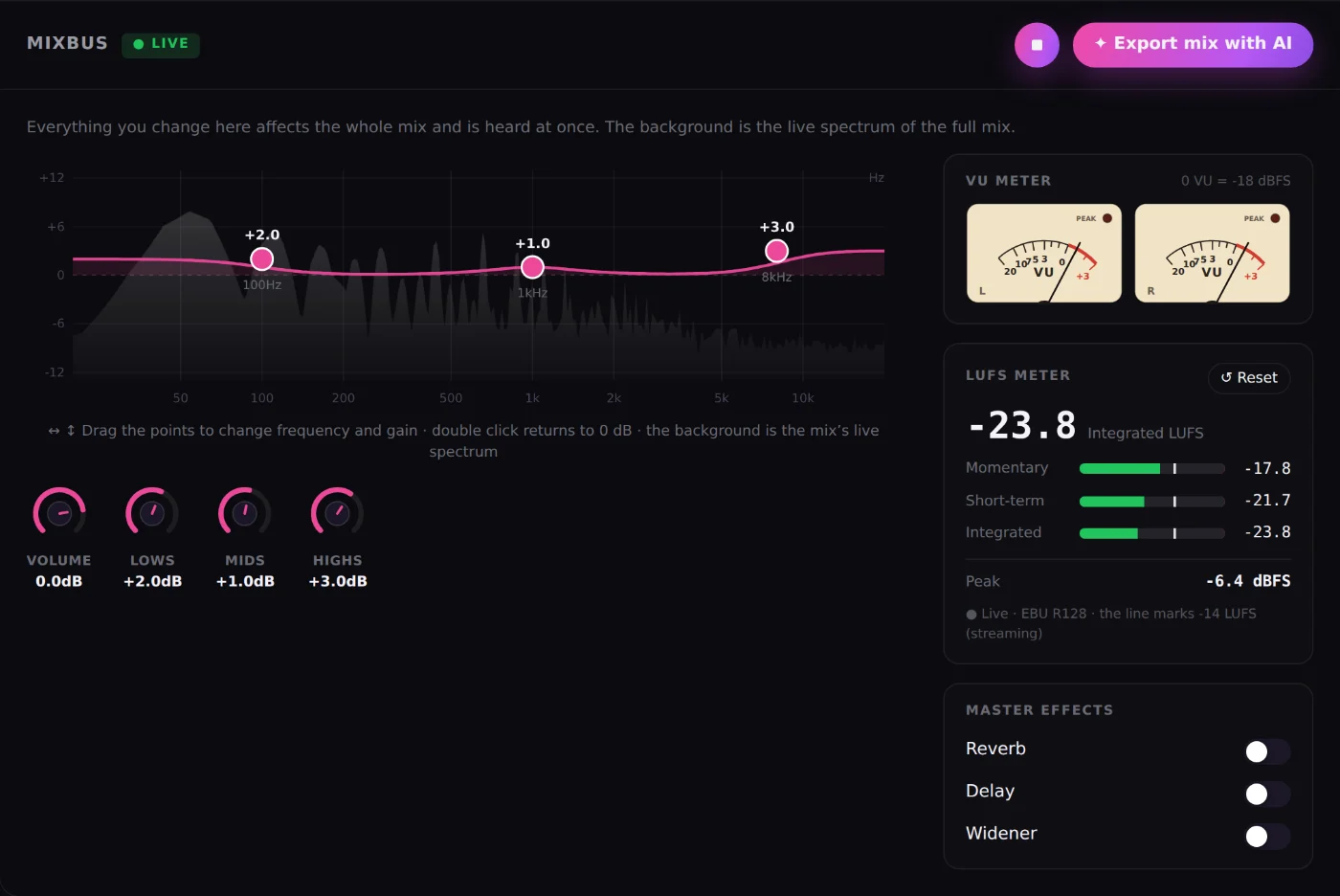
Low, mid and high (±12 dB) with points you drag over the real spectrum of the whole mix. Every change is heard instantly.
Two needles (L/R) with classic 300 ms ballistics and 0 VU = -18 dBFS: see channel balance and the energy of the mix like on a console.
Momentary, short-term and integrated per ITU-R BS.1770-4, plus peak in dBFS. Reset it to measure a specific section.
Reverb, delay and stereo widener for the whole mix, plus master volume from -24 to +6 dB.
With the ✦ AI button, AudioChat analyzes the whole mix (level, dynamics, bands and stereo) and adjusts it, or does what you ask.
Mix presets by style and a 12-band AI EQ to fine-tune the character of the song.
It is the channel the whole mix goes through before export. In MixingMusic.AI it is always visible under your tracks: master volume, low, mid and high EQ over the live spectrum, master effects (reverb, delay and widener), a stereo VU meter and a LUFS meter.
The VU meter shows the average level of each channel (left and right) with needles and classic 300 ms ballistics: it shows balance and "energy" while you mix. LUFS measure perceived loudness following EBU R128 / ITU-R BS.1770, which is what Spotify, YouTube or Apple Music use to normalize.
Momentary (400 ms), short-term (3 s), integrated (the whole take, with the -70 LUFS and -10 LU gates) and peak in dBFS. The reset button starts a new measurement.
A mix does not need a loudness target: leave headroom (peaks below 0 dBFS) and leave the final level to mastering. MixingMusic.AI normalizes the export and mastering sets the loudness for the intent you choose.
Yes. Tap the ✦ AI button on the MixBus and choose "Analyze and adjust automatically" or tell it what you want, for example "more brightness" or "less low end". AudioChat changes only the MixBus and you can undo it.
The MixBus with LUFS and VU meter is included in the Free plan too.
No monthly renewal, confusing credits, or annual contracts. Free to try it, Unlimited for the whole studio and AI Advanced to work with the AI every day.
No card and no expiration.
One payment with Mercado Pago or PayPal.
One payment. Already on Unlimited? Pay only the difference.