
What do you need to mix a song?
Balancing vocals, drums, bass and instruments can require trained ears, monitoring and many hours of revisions.
MixingMusic.AI mixes separate tracks in your browser. Export your manual settings or generate an AI version from the original stems or your current settings, without spending AudioChat interactions. Mastering is a separate next step.
Mix music with AI →Balancing vocals, drums, bass and instruments can require trained ears, monitoring and many hours of revisions.
The AI mix uses each track’s level, dynamics and frequency measurements to decide balance, pan, EQ, compression and effects. It renders a new result without overwriting your manual session. Audition vocals, bass and transients: technical checks do not guarantee professional quality for every recording.
Use separate vocals and instruments with the same start. Check names, roles, mute/solo and protected tracks.
Select Generate AI mix, then original stems or current settings. You can also prepare instructions in AudioChat.
Compare your manual mix with the AI result and download the one you prefer. Plan download limits still apply; mastering is separate.
Load up to 12 stems and adjust each track. Export your manual mix or generate a separate AI version from the originals or your current settings. Audition the result before downloading.
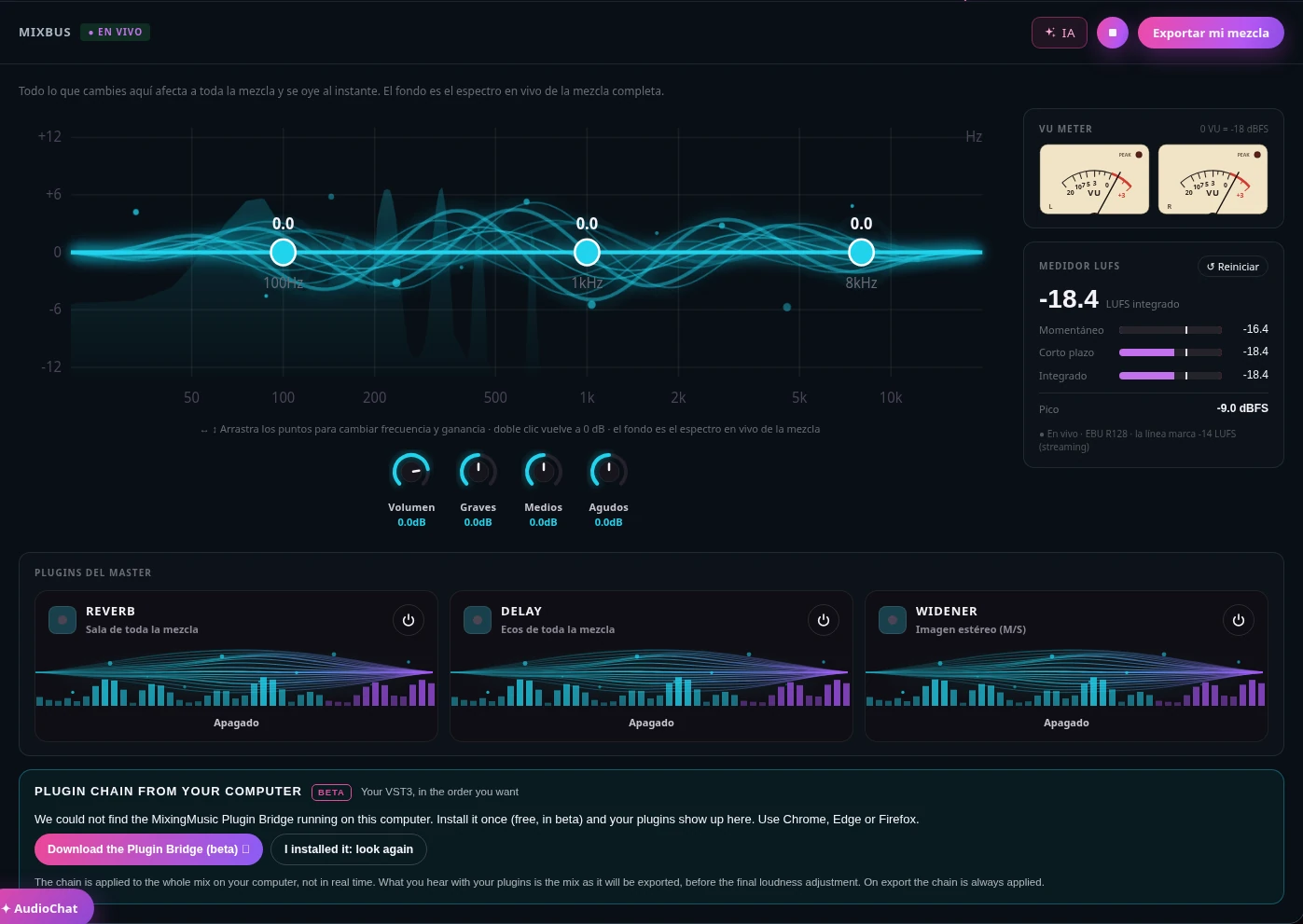
The whole-mix EQ over its live spectrum, overall volume and master effects, with no menus to dig through.
L/R needles with classic VU ballistics and an EBU R128 meter: momentary, short-term, integrated and peak.
Bring your mix closer to the tone, dynamics and loudness of a song you love, before mastering.
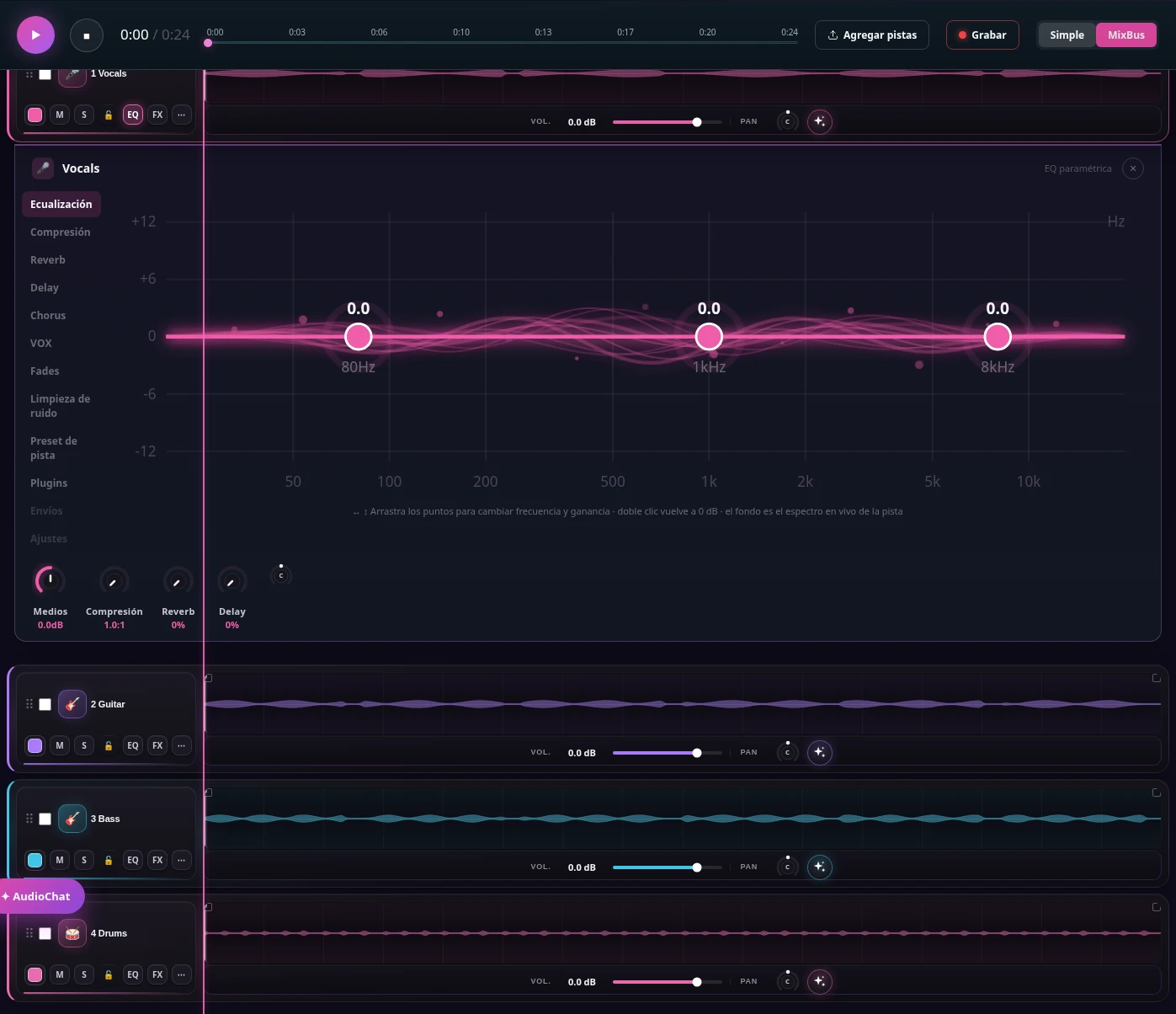
Drag the points over each instrument’s spectrum. Open one EQ or several at once and close them whenever you like.
Vocals, drums, bass, guitars and keys get EQ, compression, reverb and delay designed for each.
Type "more clarity on the vocal" and the assistant adjusts level, EQ or effects. You hear it and you can undo it.

Double-click a track to select a range, split it or delete the selection while leaving silence.
Adjust gain for a selection, a clip or the whole track. Use fades, zoom and beat snapping.
Play from the editor, undo or redo changes and restore a saved version. Edits are heard in the mix and included in exports.
Check capabilities, limits and sources in the comparison; choose for your task rather than a feature count.
Read the sourced comparison →It receives per-track measurements and proposes gain, pan, EQ, compression and effects. The audio engine renders that plan and checks the result. The model receives measurements rather than listening directly to the song.
Yes. Choose original stems or current settings. The AI version is separate and your manual session stays intact.
No. Generating a complete mix or preparing its instructions does not use interactions. Ordinary AudioChat questions and adjustments retain their counter, and plan download limits still apply.
No. Mixing balances the tracks and leaves peak headroom. Mastering is a separate step on the final stereo mix.
Mute and solo determine which tracks are audible. Protected tracks receive no new AI settings; output headroom is checked on the complete mix.
That cannot be guaranteed. Recording quality, arrangement and artistic preferences matter. Audition and compare before releasing.
Free includes one downloadable stem mix. Generating an AI version requires an account and is subject to technical safety limits. See pricing for other studio features.
No monthly renewal, confusing credits, or annual contracts. Free to try it, Unlimited for the whole studio and AI Advanced to work with the AI every day.
No card and no expiration.
One payment, no renewals. Mixing and mastering forever; AI songs last until you use them up.
Loading secure payment…
One payment. Mixing and mastering forever; AI songs until you use them up. Already on Unlimited? Pay only US$7.01.
Loading secure payment…
Pay once and create at your own pace. Usage depends on the model. Packs refill balance without changing your plan: 6-stem separation uses 1 song on Unlimited or Advanced; up to 12 uses 2 on Advanced. Free excludes separation.
Loading secure payment…
Loading secure payment…
Love songs, christian, reggaeton, pop, rock and more. New songs every day: play them, like them and share them.
Listen to the songs →