

MIX SONGS · NOTHING TO INSTALL
Mix your song without a DAW: upload your stems and hear a mix in minutes
Upload 2 to 12 tracks, pick a genre preset and let the AI build a first mix. Then tweak every track with EQ, compression, reverb and delay, all from the browser.
Mix my tracks →Your first mix is free. Unlimited mixes and 24-bit WAV with a one-time payment from US$7.99, no subscription.
- 2 to 12 stems
- Nothing to install, no licences
- Genre presets
- First mix free
From stems to a mix, in three steps
Upload your tracks
Drag 2 to 12 stems in WAV, MP3, FLAC, AAC or M4A. It recognises vocals, drums, bass, guitar and keys and gives each its track type.
Pick a genre preset
Pop, Rock, Hip Hop, Reggaeton, Dance, Classical, Ballad, Acoustic, Gospel or Neutral. Each preset adapts to the instrument of each track.
Adjust and export
You move volume, pan, EQ, compression, reverb and delay track by track and hear the result instantly. You export as MP3 or, with Unlimited, as 24-bit WAV.
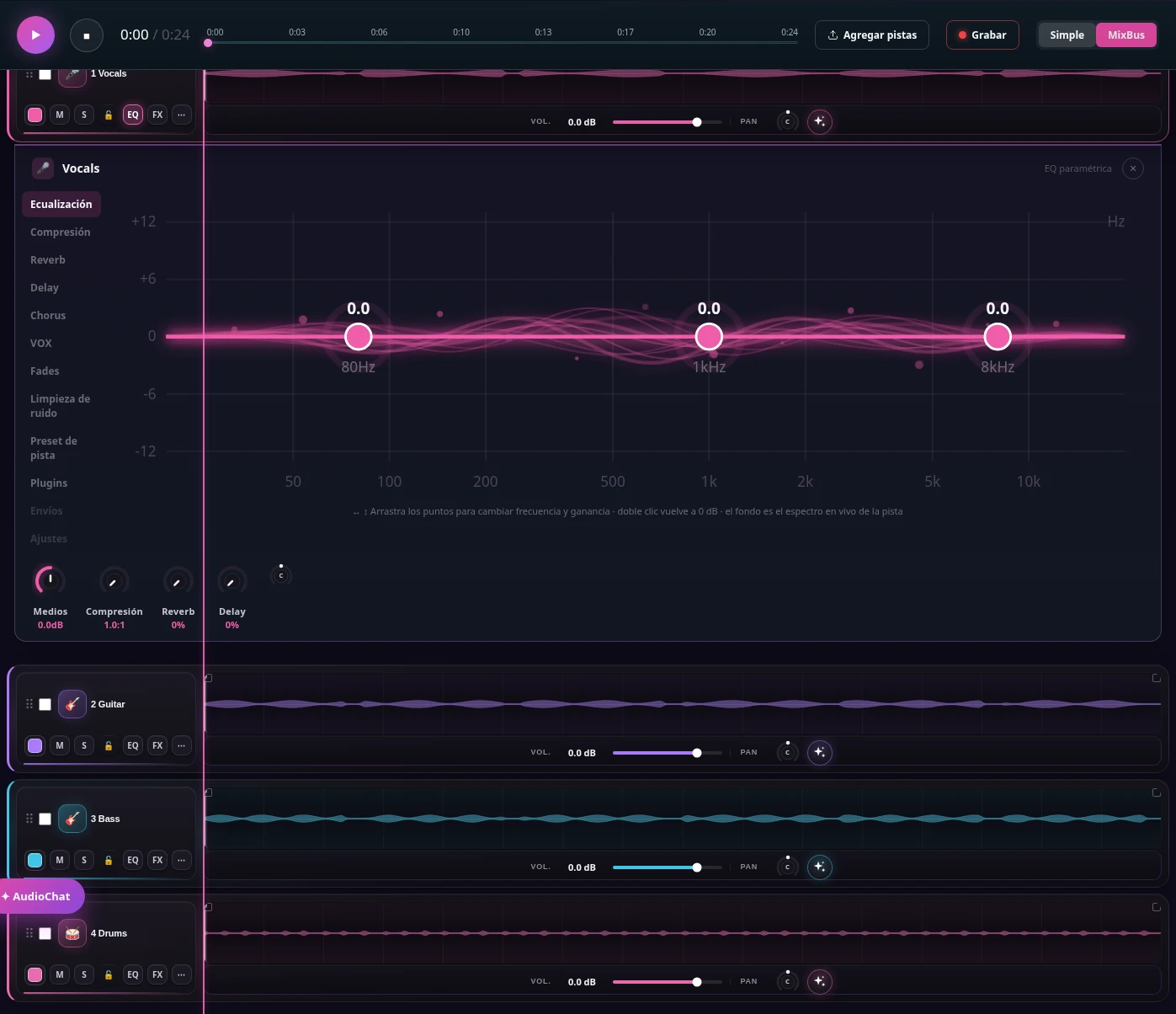
The mixer on one screen
Each track has its strip with its controls, its meter and its plugin when it applies. You can see the live spectrum, a VU meter and LUFS on the MixBus and the whole mix while you adjust.
- Per-track EQ, in single or multitrack view
- VOX, AMPLIFY, LOWEND, KEYS and PUNCH plugins
- Noise cleanup that learns from the track’s own pauses
A DAW versus mixing here: what suits you
A DAW is the most complete tool and remains the best option for large projects. This is the honest comparison for a quick mix of tracks you already have.
| A DAW | MixingMusic.AI | |
|---|---|---|
| Installation | A program and, sometimes, a licence or subscription | Browser, nothing to install |
| First mix | Depends on your experience | An AI base in minutes |
| Fine control | Total: automation, buses, third-party plugins | EQ, compression, reverb, delay and pan per track |
| Price | Varies by program | Free to try; one-time payment from US$7.99 |
If you already use a DAW, export your stems and mix them here or master the result: they complement each other. Mix my tracks →
When mixing without a DAW makes sense
It makes sense when you have separate tracks and what you need is to balance them well and reach a presentable result, without spending weeks learning a program. That is the case for someone exporting stems from an AI-made song, someone who recorded vocals and guitar on a phone, or someone producing in a basic program who wants a second opinion.
It does not make sense if you need to automate a parameter on every bar, use a specific third-party plugin or work with dozens of tracks. For that, a DAW is the right tool.
Upload your tracks and hear the difference
Your first mix is free: no account to try it and a free account only to download.
Mix my tracks →Frequently asked questions
Do I need an account to try it?
You can upload your tracks and hear the mix without an account. A free account is asked for to download.
What formats does it accept?
Up to 12 stems in WAV, MP3, FLAC, AAC or M4A. They are processed in the browser.
Can I export the mix to my DAW?
Yes. With Unlimited you can download the mix as 24-bit WAV, and there are guides to export stems from 16 different DAWs and mix them here.
Does the AI decide everything for me?
No. The AI proposes a base, but you control every track and changes are heard before they are applied. You can undo any adjustment.
How many mixes does the free plan include?
One mix from stems. Unlimited and AI Advanced include unlimited mixes with a one-time payment, no subscription.