

AN AI MUSIC STUDIO · IN YOUR BROWSER
Create, mix and master your music with AI, or give a song with a name on it
Pick where to start: create a song from an idea, mix your tracks, master a finished song or make a custom song to give as a gift. It is one account and one payment, no subscription.
Create my first song for free →Start free: 1 trial song, 1 mix and 1 master. If you want more later, a one-time payment from US$7.99.
- One account
- One-time payment, no subscription
- Start free
- In English and Spanish
Create a song with AI
From an idea, your lyrics or your voice: two versions per song, with lyrics, cover art and stems. 1 free song to try.
Mix your tracks with AI
Upload 2 to 12 stems and get a mix with genre presets, per-track EQ and an AI chat that adjusts what you ask for.
Master your song
Upload your mix, pick the final loudness for Spotify or YouTube, compare before and after at the same volume and download MP3 or WAV.
Give a custom song
Tell us their story and the AI composes a song with their name. You hear both full versions before you pay.
A path you can start at any point
If you have an idea
Start by creating: describe the style or paste your lyrics and get two versions of the song, with key and BPM.
If you have tracks or an AI-made song
Move on to mixing: split into stems, balance each track with genre presets and an AI chat, and export the mix.
If you have a finished mix
Go straight to mastering: pick the loudness for Spotify or YouTube, compare before and after and download.
If it is for someone else
Make a custom song: tell their story and receive a song with their name and a page to give it.
Which service suits you based on what you have
A quick guide. If in doubt, start with the one closest to your file.
| What you have | What you do | What you get |
|---|---|---|
| Just an idea or lyrics | Create a song | Two versions with lyrics and cover art |
| Separate tracks (stems) | Mix | A mix as MP3 or 24-bit WAV |
| A mixed song | Master | Final loudness and before and after comparison |
| A person to dedicate it to | Custom song | Their song and a page to give it |
Everything runs in the browser; there is nothing to install. Create my first song for free →
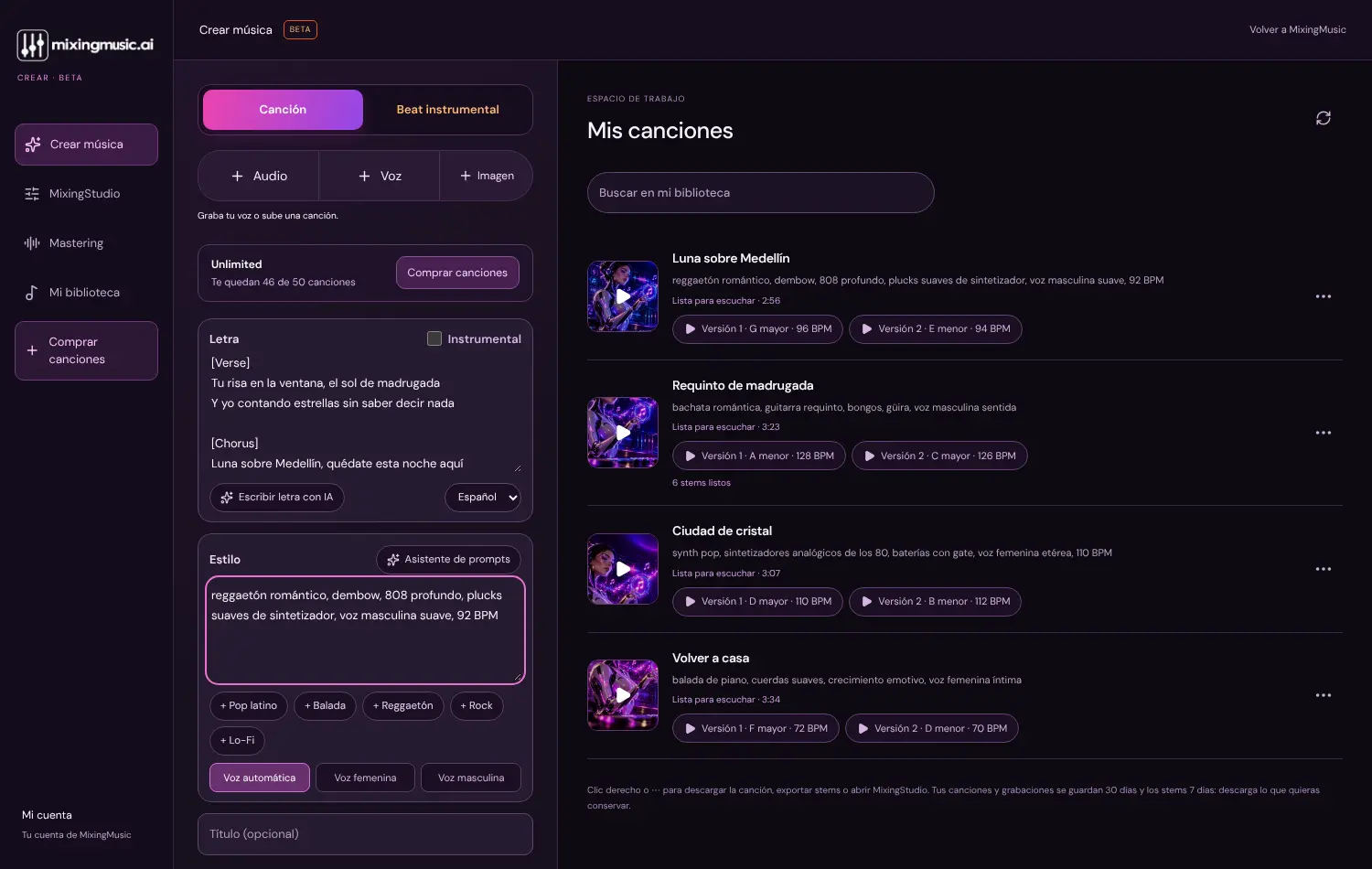
What you create stays in your library
Your songs, their two versions, their key and BPM are stored in your account, ready to open in the mixer or master. No exporting and importing between tools.
Why everything in one place
Making a song usually means jumping between a generator, an editor, a mixing program and a mastering service, each with its own account, file format and payment. Here the path is continuous: the song you create opens as stems in the mixer and the mix moves on to mastering without leaving your account.
Songs are generated by the Suno V6 model through KIE.ai; MixingMusic.AI is independent and is not affiliated with Suno. Its contribution is the rest of the path —stems, mixing, mastering— and a price you pay once.
Start wherever you are
An idea, some tracks or a finished song: there is an entry point for each, and the first trials are free.
Create my first song for free →Frequently asked questions
Which service do I start with?
With the one closest to what you already have: an idea or lyrics, create; separate tracks, mix; a finished mix, master; and a person to dedicate it to, the custom song.
Do I need to pay to try it?
No. The free account includes 1 trial song, 1 mix from stems and 1 MP3 master. The custom song is paid for only after hearing both full versions.
What plans are there and how much do they cost?
Unlimited costs US$7.99 (was US$19.99) and AI Advanced US$15 (was US$79). Both are a single payment, no subscription. There are also extra song packs of US$8.99 (20) and US$14.99 (50), and a pack of 50 songs with up to 50 covers for US$29.99. Unlimited includes 5 covers and AI Advanced 10.
Can the services be used separately?
Yes. You can master a song you made elsewhere, mix your own recordings or create a song without going through the other steps.
Do I need to install anything?
No. Everything works in the browser. To record with an audio interface, use Chrome or Edge on a computer.
Who generates the music?
An AI: the Suno V6 model through KIE.ai. The voice and the music are generated, not a human singer’s recording. MixingMusic.AI is independent and is not affiliated with Suno.