

MASTER FOR STREAMING · LUFS AND TRUE PEAK
Master for Spotify and YouTube with the loudness and peaks they ask for
Pick the final loudness for each platform, keep the peaks below −1 dBTP and compare your master with the original at the same volume, so what you hear is the improvement and not just “louder”.
Master for Spotify →First master free as MP3. More masters and 24-bit WAV with a one-time payment from US$7.99.
- Targets for Spotify, Apple Music and YouTube
- Matched-loudness comparison
- True peak at −1 dBTP
- MP3 or 24-bit WAV
The loudness targets that matter
Platforms normalise each song’s volume toward an integrated LUFS target. These are the reference values commonly used; each platform may change them.
| Platform | Usual target | What usually happens to a louder song |
|---|---|---|
| Spotify | −14 integrated LUFS | It is turned down to the target |
| YouTube | Around −14 LUFS | It is turned down; a quieter song is not turned up |
| Apple Music | Around −16 LUFS | It is adjusted with Sound Check |
| Deezer | Around −15 LUFS | It is normalised to the target |
With the free LUFS tool you can measure your song without uploading it to any server. Master for Spotify →
How to master it for streaming
Upload your stereo mix
Preferably with no limiter on the main bus and with some headroom: that way the master has room to work.
Pick the loudness target
You select Spotify, Apple Music or YouTube and the AI adjusts the processing toward that loudness, with the true peak below −1 dBTP.
Compare at matched loudness
You switch between the original and the master gaplessly and at the same perceived volume, to judge tone and clarity and not just loudness.
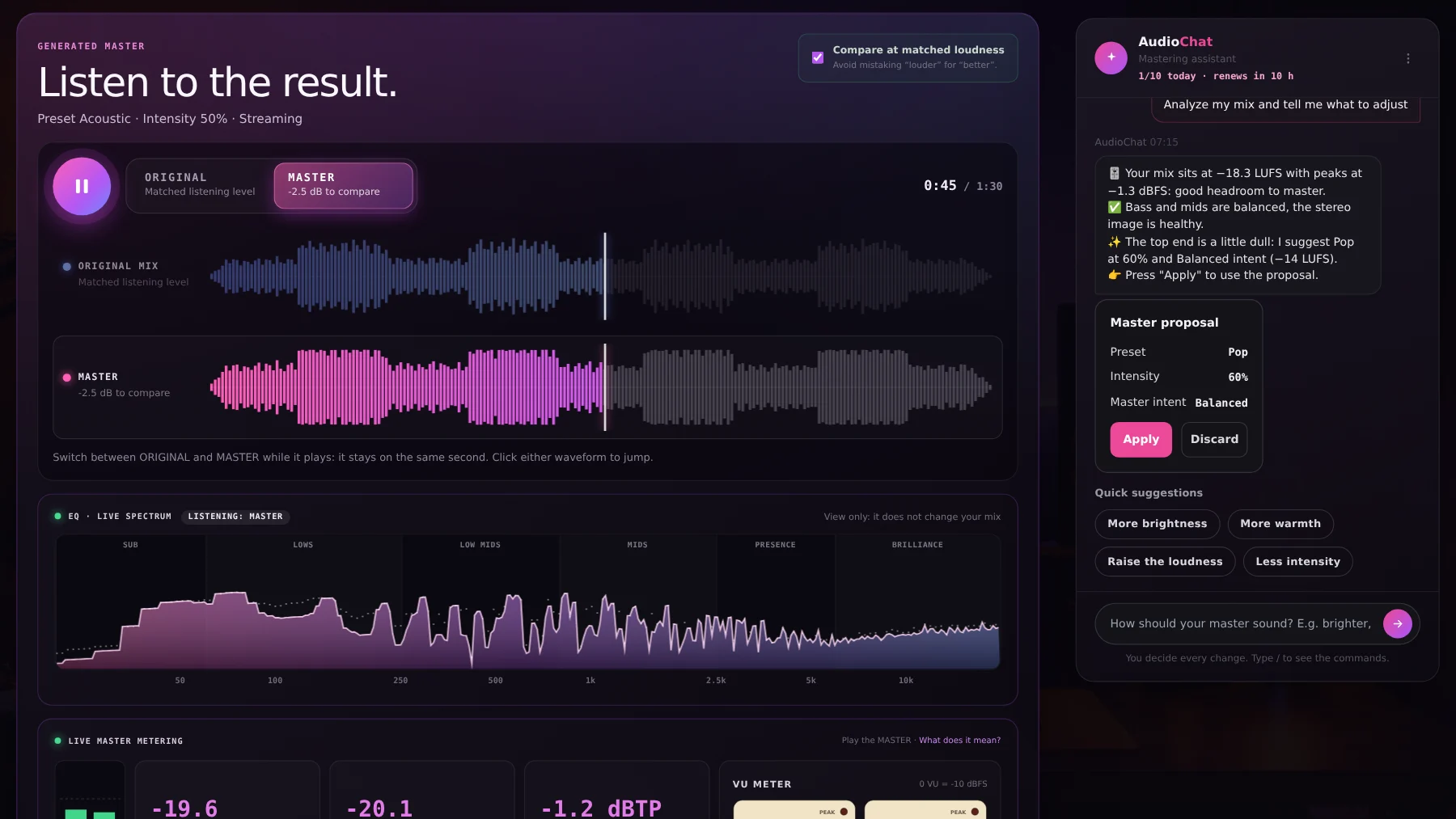
Analyse your mix before deciding
The “Analyze mix with AI” function measures level, peaks, dynamic range, six frequency bands and stereo correlation in your browser, and explains what to adjust. It proposes preset, intensity, width or loudness, and only applies if you press Apply. It uses 1 AI chat message.
Louder is not always better
Because platforms turn down anything above the target, pushing a limiter for loudness does not give you a louder song on Spotify: it gives you a song with less dynamics. That is why you should always compare at matched loudness: if the master sounds better that way, the improvement is real.
What true peak is and why −1 dBTP
Between one sample of digital audio and the next, the signal can exceed the peak you see on the meter, especially when it is converted to MP3 or AAC on the platform. Keeping the true peak below −1 dBTP leaves room so the conversion does not distort.
Make your song sound good wherever it plays
Upload your mix, pick the platform and compare the before and after.
Master for Spotify →Frequently asked questions
How many LUFS should I master to for Spotify?
Spotify’s reference value is −14 integrated LUFS. If your song is louder it is turned down; if quieter, it is normalised depending on each listener’s settings. There is no magic number: balance matters.
And for YouTube and Apple Music?
YouTube normalises around −14 LUFS and Apple Music around −16 with Sound Check. You can pick each platform’s target in the mastering.
Can I measure my song for free?
Yes. The online LUFS meter is a free tool: it measures integrated LUFS, true peak and loudness range, and does not upload your file to any server.
Can I master a whole album?
Yes, with Unlimited: album mode masters up to 12 songs with a consistent sonic identity.
Which output format suits me?
MP3 for quick sharing and 24-bit WAV (with Unlimited) to deliver to a distributor or archive.