

MASTER YOUR DEMO · FOR INDEPENDENT ARTISTS
Master your home recording and take it from demo to release
You recorded in your room and want it to sound like a finished song. Upload your mix, let the AI fix tone, clarity and loudness, and hear the difference before you download.
Master my demo →First master free. If it is for a release, 24-bit WAV with Unlimited, one-time payment from US$7.99.
- Made for home recordings
- AI analysis of your mix
- Before and after at matched loudness
- First master free
What mastering fixes in a home recording
Uneven tone
Untreated rooms often add excess bass or boxy mids. Mastering balances the overall tone of the mix.
Low volume next to other songs
Your demo sounds quiet next to a commercial record. The master brings it to streaming loudness without crushing it.
Lack of width
Very centred mixes sound small. You can open the stereo image with control over how much.
Uncontrolled peaks
A master with the true peak below −1 dBTP avoids distortion when converting to MP3 or AAC.
From demo to master in three steps
Check your mix
Upload the song and look at its waveform, spectrum and LUFS. “Analyze mix with AI” measures level, peaks and bands and explains what to adjust.
Pick preset and intensity
A genre preset as a starting point, the intensity, the width and the final loudness. Every change is heard instantly.
Compare and download
Switch between the original and the master at the same volume and, when you are convinced, download as MP3 or, with Unlimited, as 24-bit WAV.
Before mastering: a checklist
Mastering improves a good mix; it does not fix a mix with serious problems. Before uploading, check these points and you will save yourself rounds:
- Leave headroom: export with peaks around −6 dB and no limiter on the main bus.
- Listen in mono for a moment: if the vocal or the bass disappears, there are phase problems to fix in the mix.
- Export as WAV, not MP3, so the file does not go through extra compression before the master.
- Check the noise: if room noise remains in the pauses, clean it first on the vocal track.
If you still have the stems
If you still have the separate tracks, mix them first with the mixing tool: fixing a problem in the mix almost always gives a better result than fixing it later in the master. And if you record with an audio interface, you can record the next take right here.
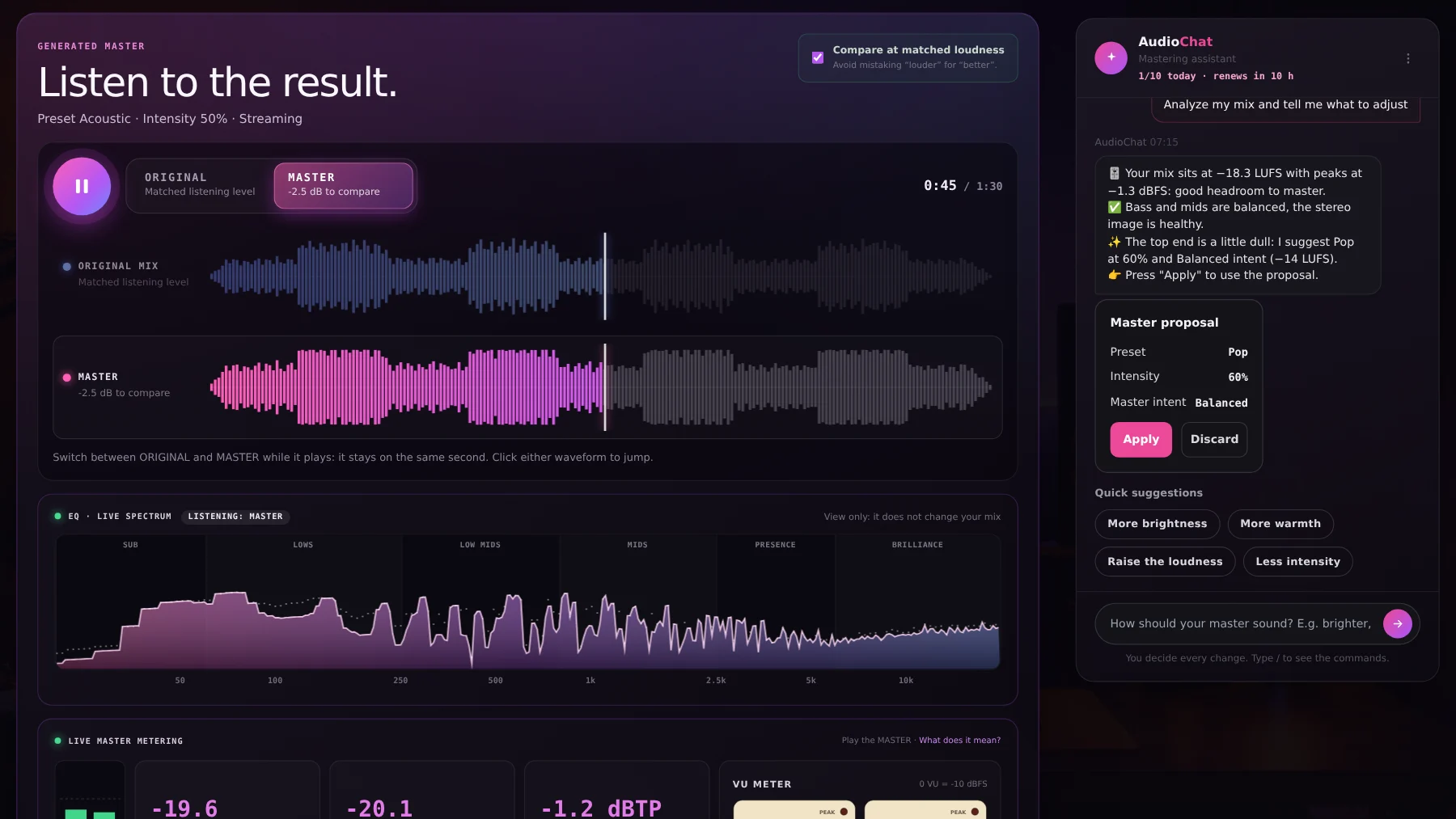
An honest comparison: before and after
You switch between original and master gaplessly and at the same perceived volume. If you do not like the difference, you lower the intensity or change the preset until you feel it improves the song, not just its volume.
Your demo deserves to sound finished
Upload your song and compare the before and after. Your first master is free.
Master my demo →Frequently asked questions
Does it work for songs recorded on a phone?
Yes, mastering works with any stereo mix. But a master cannot replace a recording with a lot of noise or distortion: it is better to clean up first.
Can I upload an MP3?
Yes, WAV, MP3, FLAC, AAC and M4A are accepted. If you have the WAV, use it: it gives better results than an already compressed MP3.
What do I do if the master sounds over-processed?
Lower the intensity or switch to a gentler preset and compare again at matched loudness. Everything is heard before you download.
Can I master an EP or an album?
Yes, with Unlimited: album mode masters 2 to 12 songs with a consistent sonic identity.
How much does it cost?
The first master is free. Unlimited costs US$7.99 (was US$19.99) and AI Advanced US$15, one payment and no subscription.