Create, Mix and Master Songs with AI

NEW · BLACK FRIDAY · FROM US$5.99Give a custom songTell us their story, hear your full song before you pay and get two versions with lyrics and cover art. Also released on Spotify, YouTube Music and Apple Music.Create my gift →
02Create a mix with AIUpload your stems, or your Suno Studio stems, and build a complete mix with AI.
03Master with AIMaster your song with AI, Suno songs included, at Spotify-ready release loudness.
04Enhance a mix with AIFix the balance, clarity, width and dynamics of your mix or your Suno song.
05Album mode with AIMaster up to 12 songs with a consistent sonic identity, including songs from SUNO.
06Record music, multitrackRecord vocals and an instrument at once and add backing vocals, guitars and bass with room presets (studio, church, stadium). Up to 12 tracks.
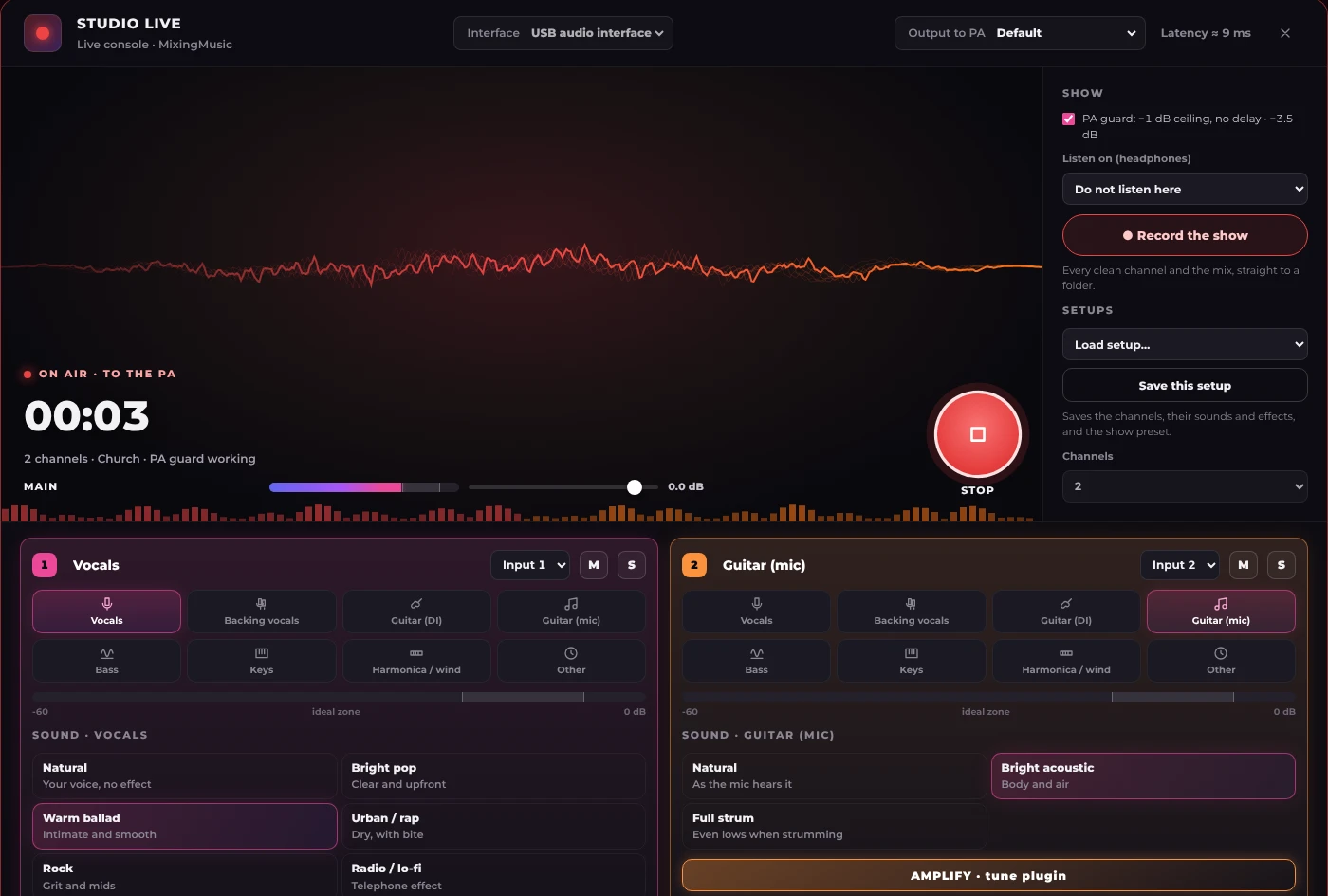
07Live consoleFor churches, bars and clubs: connect your interface, every input is a channel with plugin, anti-feedback and limiter. Record the show.
MIXING

Create a mix

Upload vocals, drums, bass and guitars, or the stems you export from Suno Studio. AI prepares the balance and you keep control.

  • Up to 12 stems, Suno Studio too
  • Per-track EQ and live MixBus
  • VU meter and LUFS meter
  • Genre and instrument presets
How AI mixing works →
MASTERING

Master your song with AI

Upload your mix or your Suno song: the mastering AI improves clarity, punch and dynamics and brings it to Spotify loudness without losing its character.

  • Tonal and dynamic enhancement
  • Suno songs ready for Spotify
  • MixingMusic presets
  • MP3 and 24-bit WAV
What is AI mastering? →

Free: 1 mix, 1 MP3 master and 1 AI "Analyze and adjust". No card needed.

INTERNATIONAL RECOGNITION

Winners of the 2026 Global Recognition Award.

MixingMusic.AI was recognized worldwide for innovation in artificial intelligence applied to music production. Technology built to make professional results accessible.

GRAWINNER 2026
MixingMusic.AI, winner of the 2026 Global Recognition Award for innovation in artificial intelligence applied to music production
SIMPLE PRICING

Start free. Pay only once.

No monthly renewal, confusing credits, or annual contracts. Free to try it, Unlimited for the whole studio and AI Advanced to work with the AI every day.

FREE

Try it

US$0

No card and no expiration.

  • ✓ 3 songs created with AI (1:00), no stems
  • ✓ 1 mix from stems
  • ✓ 1 downloadable MP3 master
  • ✓ Up to 12 stems per song
  • ✓ 1 AudioChat AI "Analyze and adjust"
  • ✓ Presets and AI recommendation
BLACK FRIDAY & END OF YEARUNLIMITED FOREVER

The whole studio

US$19.99US$7.99ONE-TIME PAYMENT · FOREVER

One payment, forever. No subscription, no renewals.

  • ✓ 450 songs created with AI (up to 30 a month)
  • ★ 2 custom songs included (worth US$39.98)
  • ✓ Unlimited mixes and masters
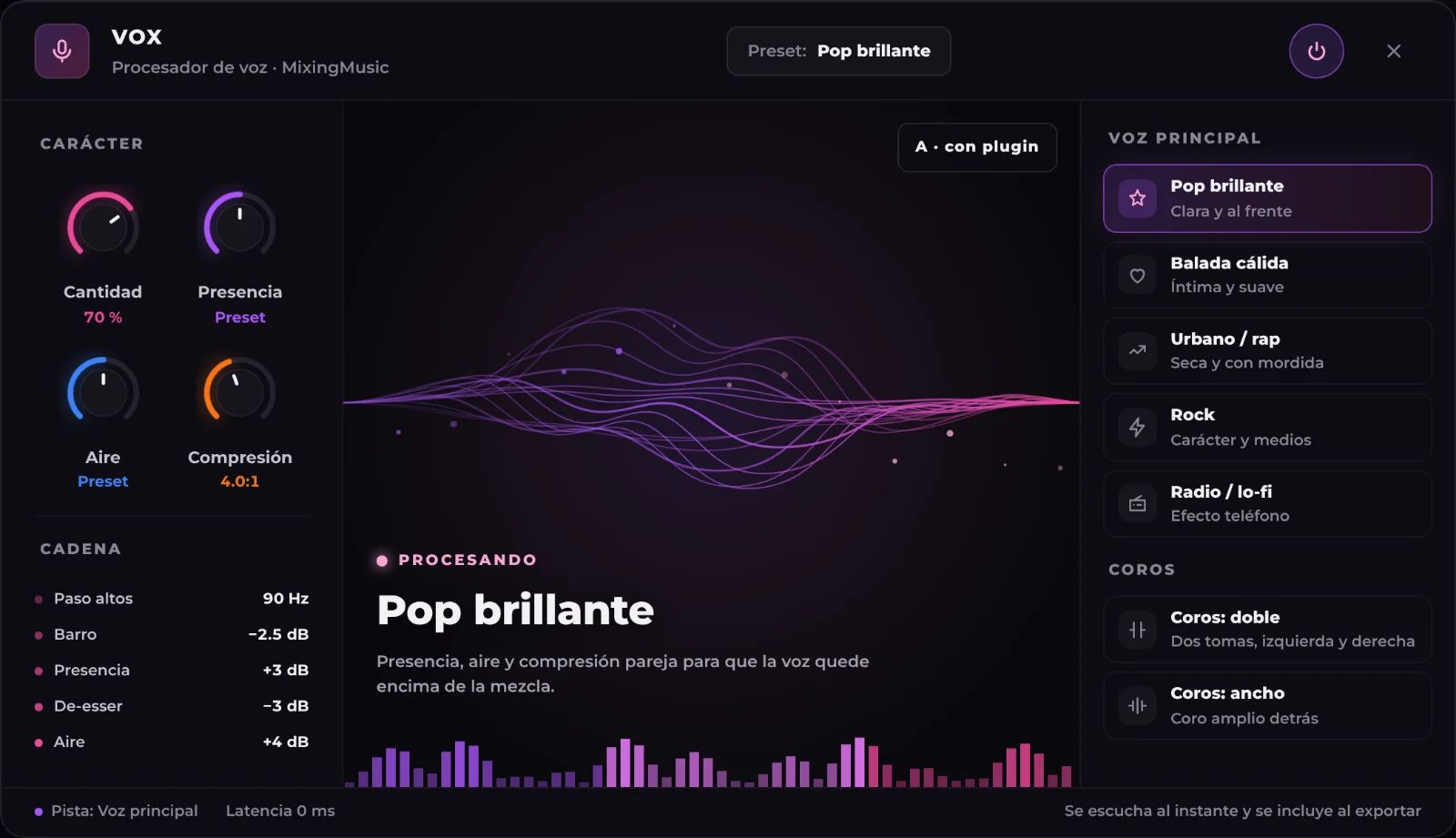
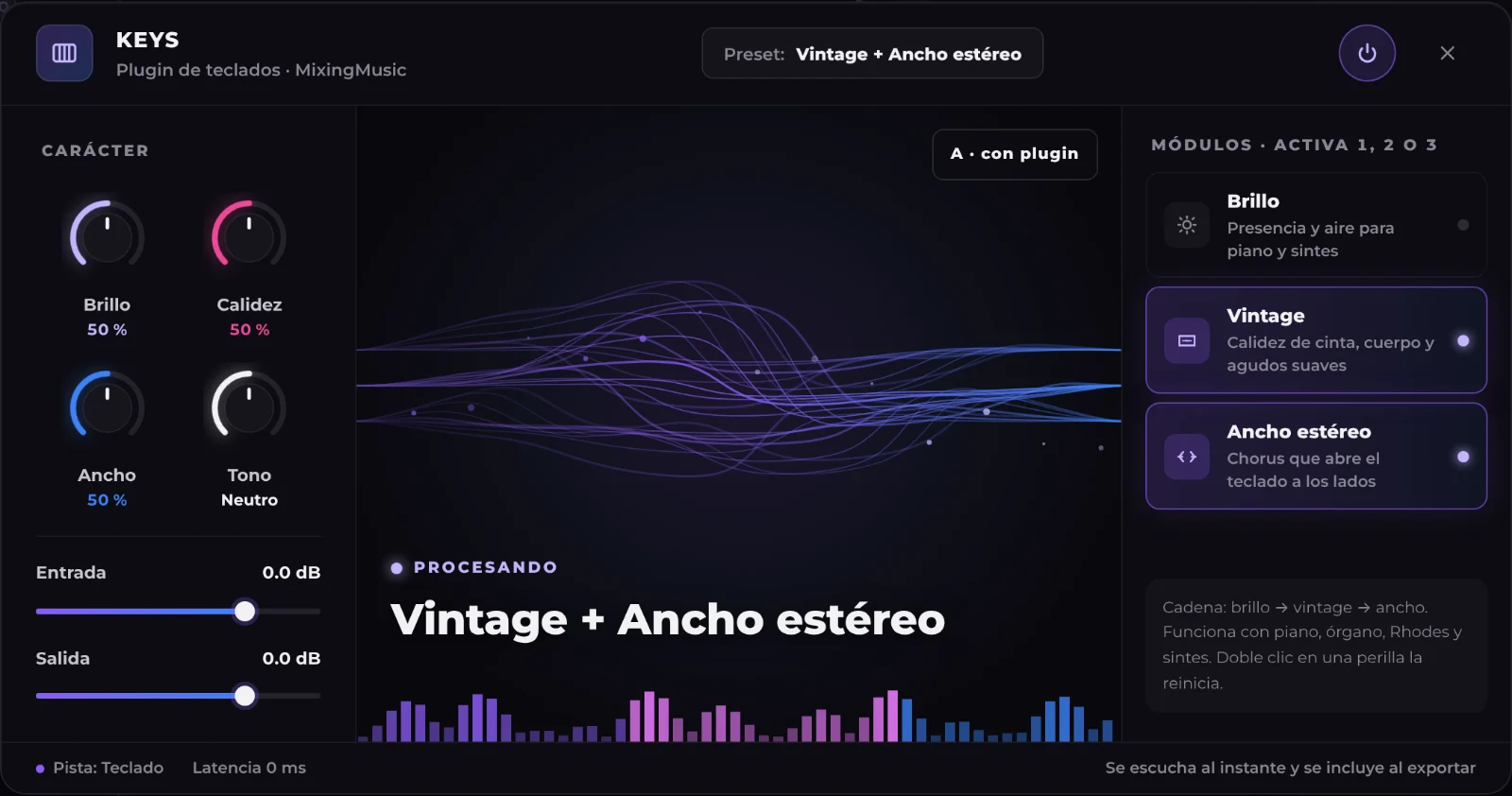
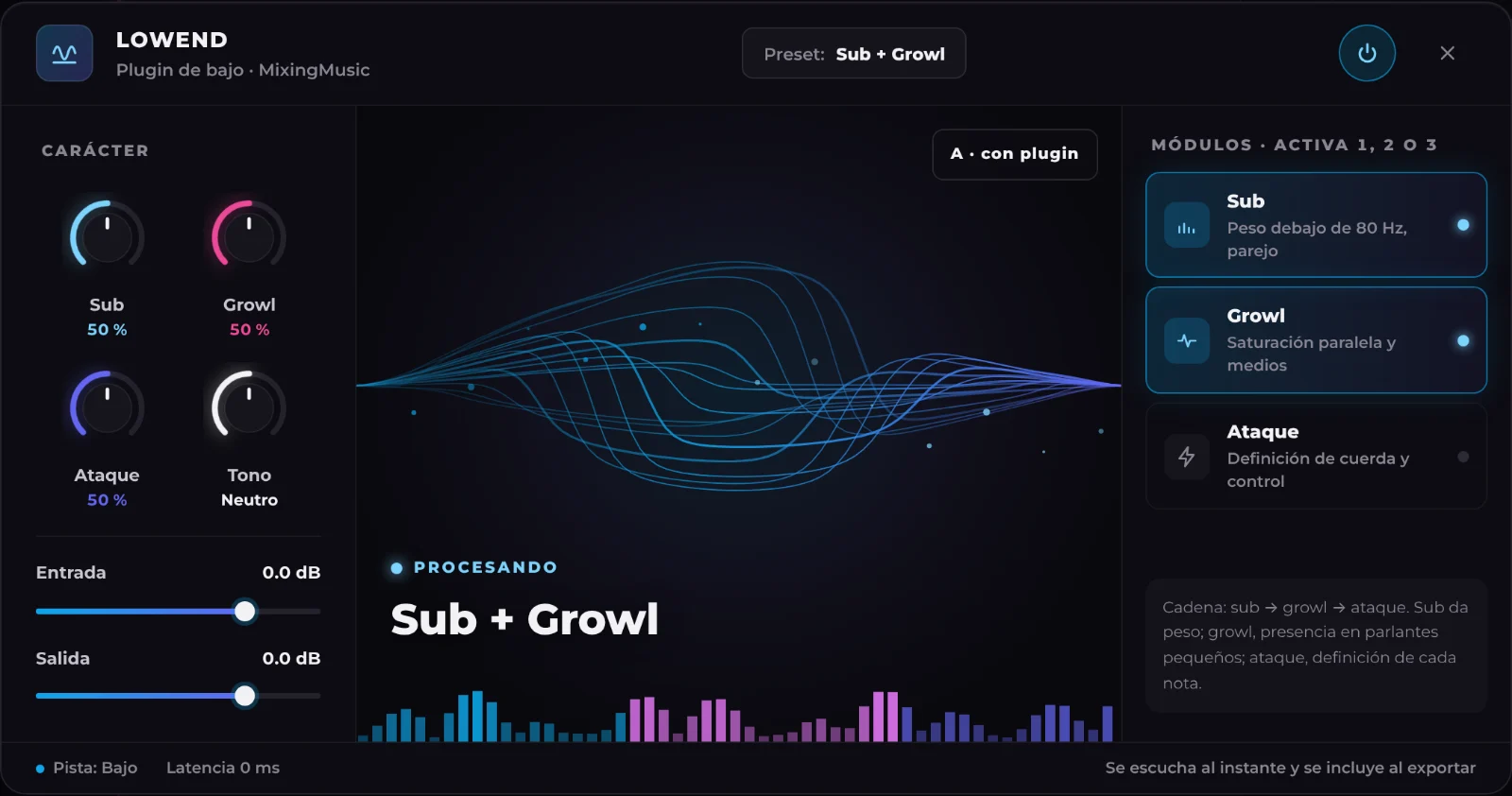
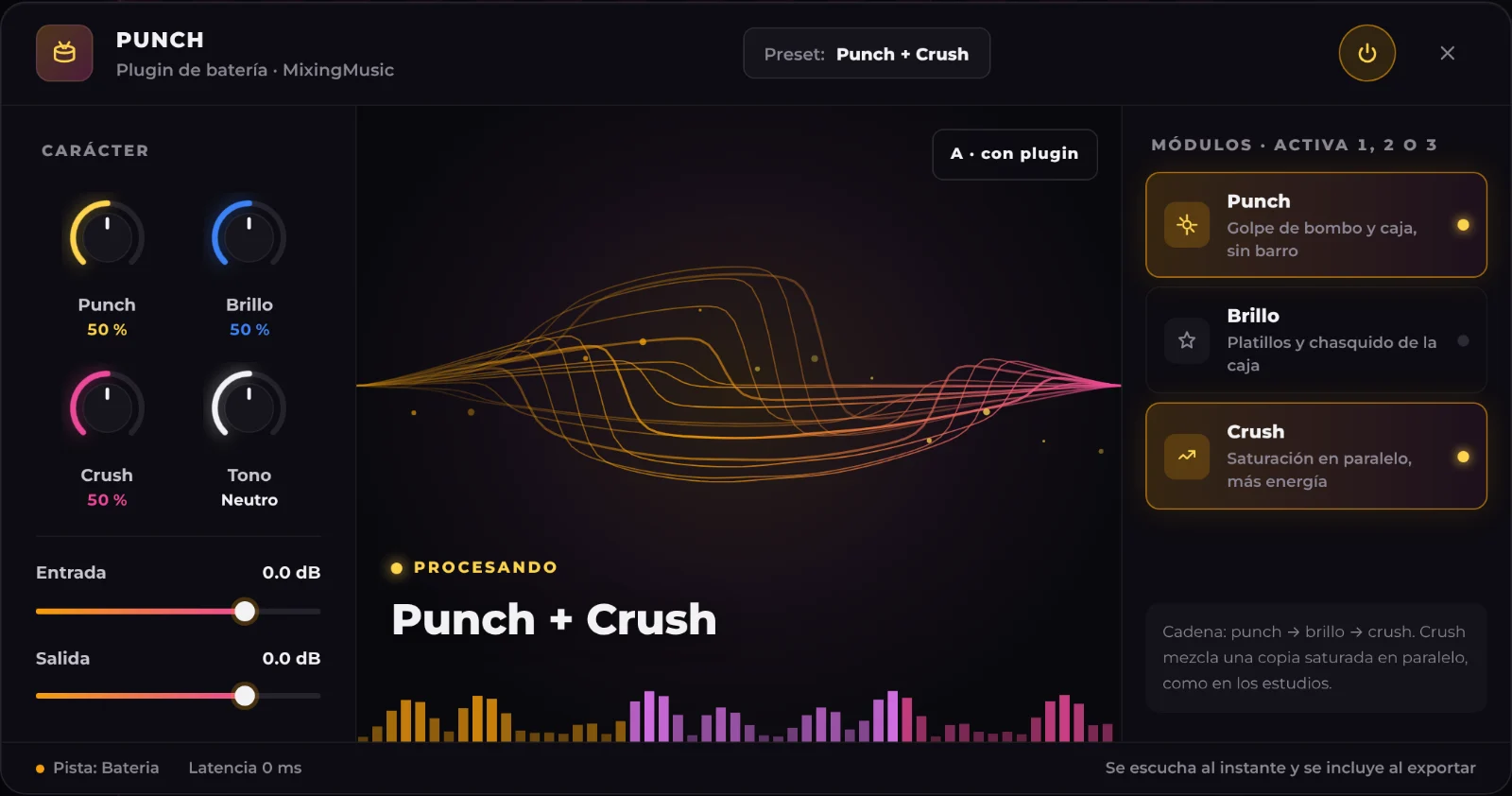
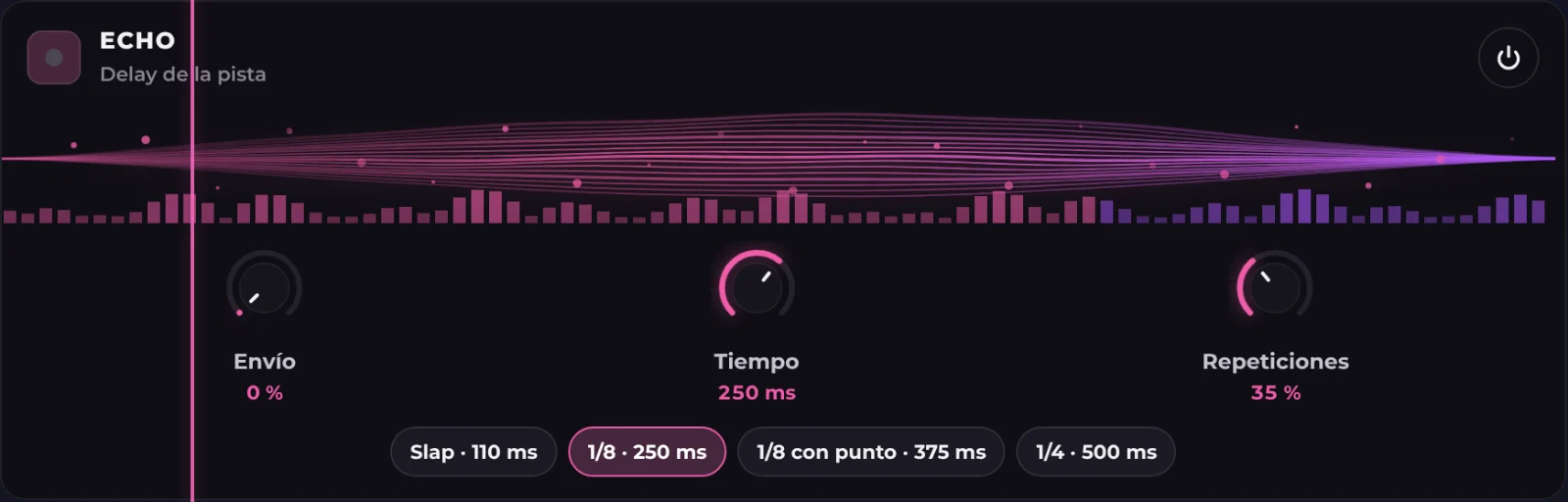
  • ★ 9 studio plugins: AMPLIFY, VOX, KEYS, LOWEND, PUNCH, STUDIO REC, ROOM, ECHO and CHORUS
  • ★ Unlimited recordings of up to 12 tracks with recording presets: MP3, WAV and separate stems
  • ★ Live mode: a console with every channel of your interface and show recording
  • ★ 1080p Karaoke Video with synced lyrics: up to 30 a month
  • ✓ True 24-bit PCM WAV
  • ✓ Album mode up to 12 songs
  • ✓ Reference track: tone, dynamics and loudness
  • ✓ AudioChat AI: 10 messages a day

When the Black Friday and end-of-year promo ends, Unlimited goes back to US$19.99 and AI Advanced to US$79 · See the full plan comparison →

PLUGINS INCLUDED

A complete studio of plugins. Included in Unlimited and AI Advanced.

Plugins per instrument, online recording and effects on every track, inside the same mixer. What other studios sell plugin by plugin comes with your one-time plan here.

  • Included in Unlimited
  • Included in AI Advanced
  • One-time payment, no subscription
  • Heard instantly and included in the export
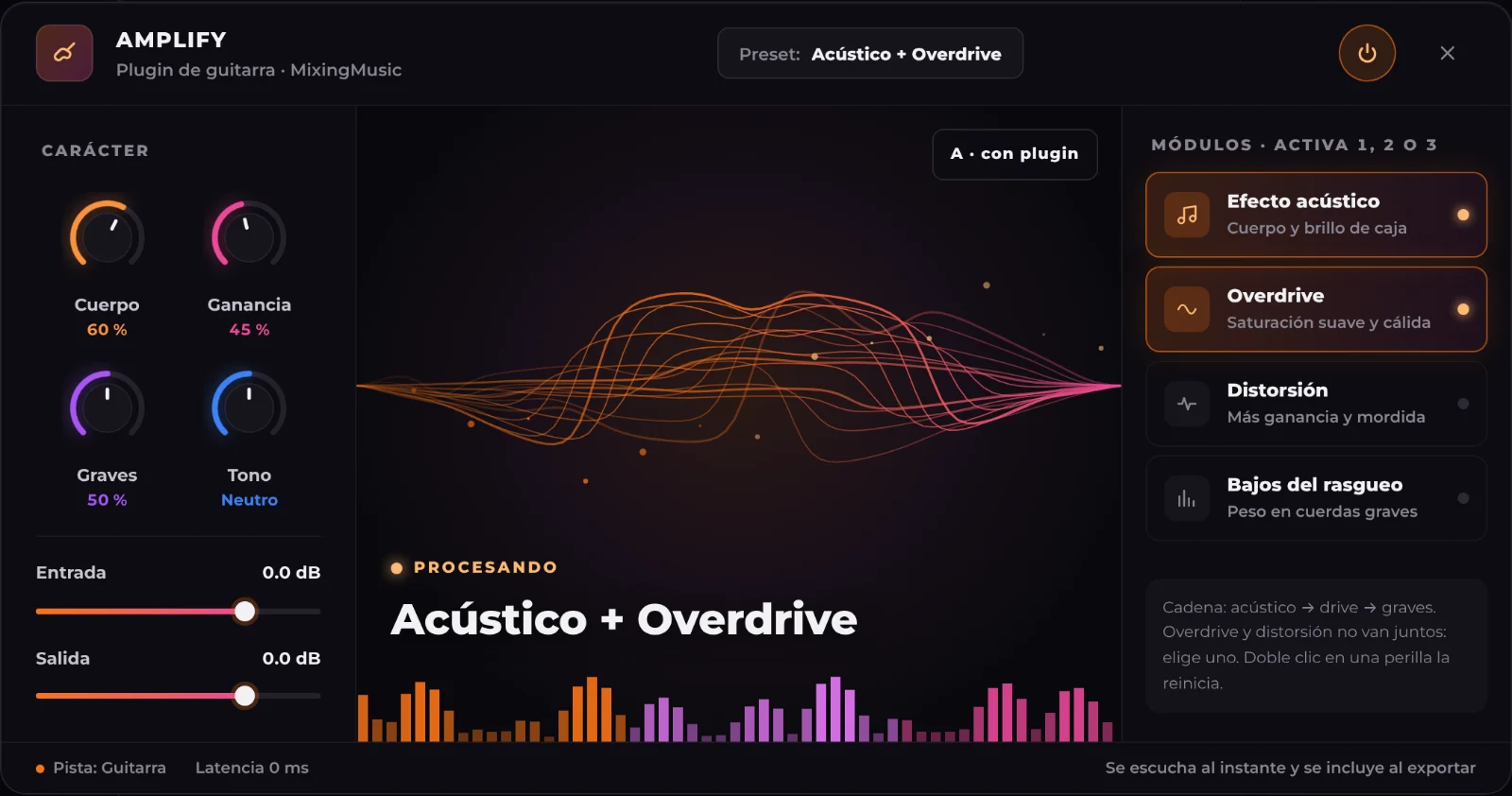
MixingMusic AMPLIFY plugin: body, gain, lows and tone knobs, wave visualizer and acoustic, overdrive, distortion and strum-lows modulesGuitarAMPLIFYTurns an electric or line guitar acoustic, adds overdrive or distortion with a cabinet cut, and gives weight to the low strings when strumming. Use one, two or all three modules.See plugin →
9track and recording plugins
3master plugins
17vocal and genre presets
1single payment
NEW · SONG CREDITS

Just want songs? Buy credits, not subscriptions.

Pay once and create at your own pace. Every credit is a complete song of up to 4:00 with the Suno V6 model, in 2 versions, with stems and cover art.

  • No monthly plans
  • No hidden fees
  • Never expire
NEW · GIVE A SONG

Create your custom song

Tell us their story or record your own melody: the AI composes a full song of up to 4 minutes, with lyrics and cover art. You hear your full song before you pay and can regenerate once. When you pay it includes your 1080p Karaoke Video with synced lyrics, ready for YouTube and Shorts.

  • Record or hum your melody, or describe their story
  • AI-written lyrics or your own, in 5 languages
  • Studio or live · female, male or duet vocals
  • Two full versions and a page to give it, with likes and comments
  • Optional: release it on Spotify, Apple Music and YouTube Music
Create my song From US$5.99 (Black Friday) · one payment · 2 free with Unlimited and AI Advanced
Give a personalized song: full song with lyrics and custom cover art, with an option to release it on Spotify, YouTube Music and Apple Music. Black Friday offer.
NEW · LOGIC PRO

Download your mixer session and open it in Logic Pro

Mix with AI here and keep going in your DAW: one file opens a Logic Pro project with all your tracks, named, in place and with what the AI did on each one.

  • One track per stem, from bar 1
  • 24-bit WAV at your stems’ sample rate
  • Your mix’s level and pan, or printed into the audio
HEAR THE RESULT

Songs mixed and mastered with MixingMusic.

Listen to finished music on SoundCloud. These releases show how MixingMusic can support the final sound while the artist keeps the creative decisions.

Explore all demo songs
ARTISTS AND PRODUCERS

Results that help you finish and release music.

Quotes translated from Spanish.

“The vocal and the choir came out clear without losing the emotion. I finally finished a song that had been stuck for weeks.”
Carlos M.Gospel producer · Colombia
“I uploaded my mix, picked the character, and the master came out with more punch and width, but it still sounded like me.”
Valeria R.Singer-songwriter · Mexico
“The speed helps a lot and I still get to make decisions. It does not feel like a black box.”
DJ FontanaDJ and producer · Argentina
TWO PATHS, THREE FUNCTIONS

Less technique. More musical decisions.

MixingMusic analyzes the audio and proposes a result; you choose the final character.

01

Pick your starting point

Upload up to 12 stems to mix, or your stereo song to master it with AI.

02

Shape your sound

Use MixingMusic presets and control intensity, dynamics, color, stereo and loudness.

03

Compare and download

Hear the original and the result at matched loudness. Export MP3 or true 24-bit WAV.

10 presets to find the sound of your music

Choose a starting point and adjust the result in the mixer. Each preset keeps its own EQ, compression and effects settings.

01

Pop

Vocal clarity, bright highs and clean lows
02

Rock

Powerful lows, midrange presence and punch
03

Hip Hop

Deep 808s, dry snare and upfront vocals
04

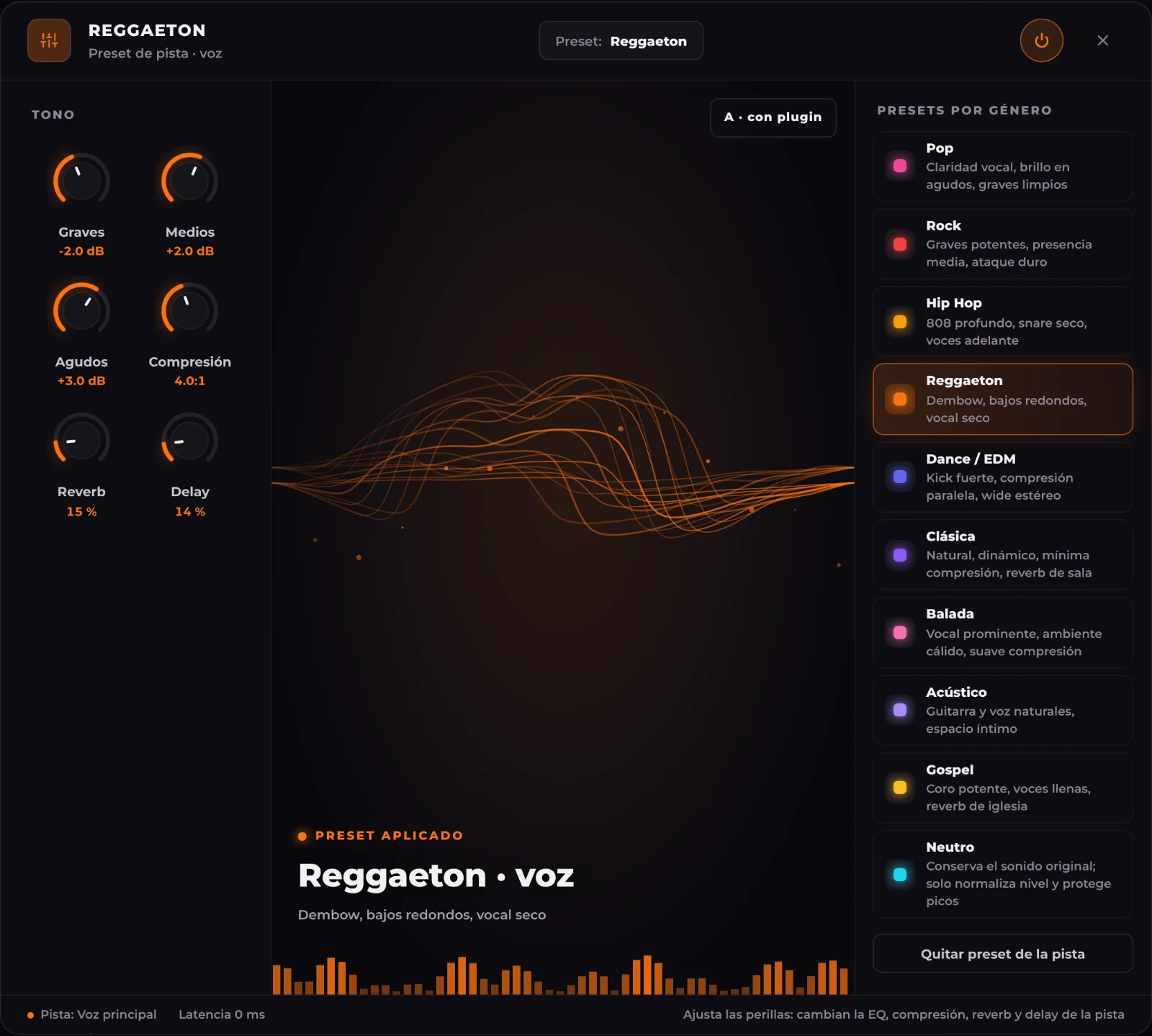
Reggaeton

Dembow, rounded bass and dry vocals
05

Dance / EDM

Strong kick, parallel compression and wide stereo
06

Classical

Natural dynamics, minimal compression and room reverb
07

Ballad

Prominent vocals, warm ambience and gentle compression
08

Acoustic

Natural guitar and vocals, intimate space
09

Gospel

Powerful choir, full vocals and church reverb
10

Neutral

Preserves the original sound; only normalizes level and protects peaks
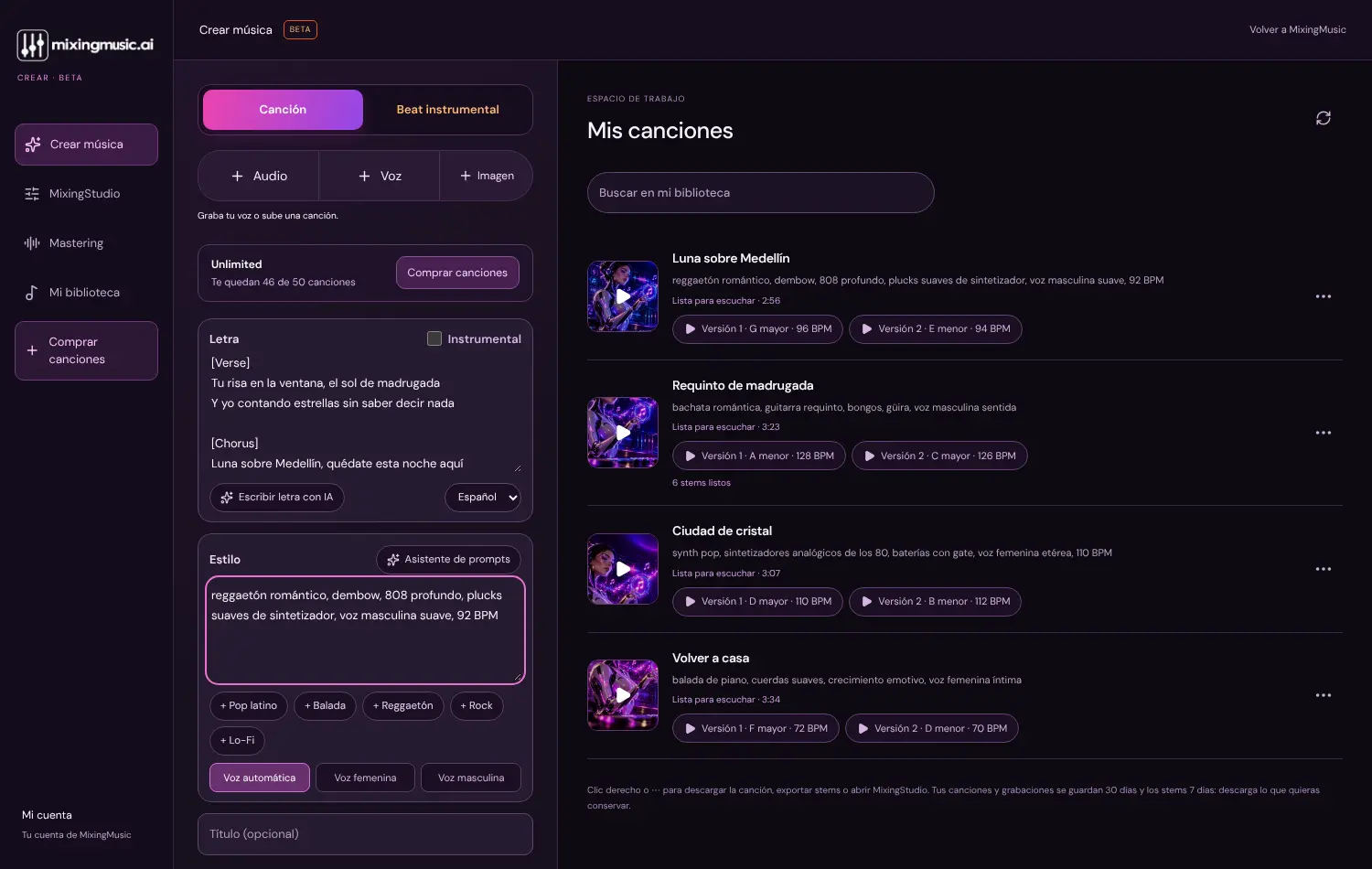
Create music screen in MixingMusic.AI: lyrics and style of a romantic reggaeton on the left; on the right a library of four songs created with the Suno V6 model, each with two versions, its key and its tempo in BPM
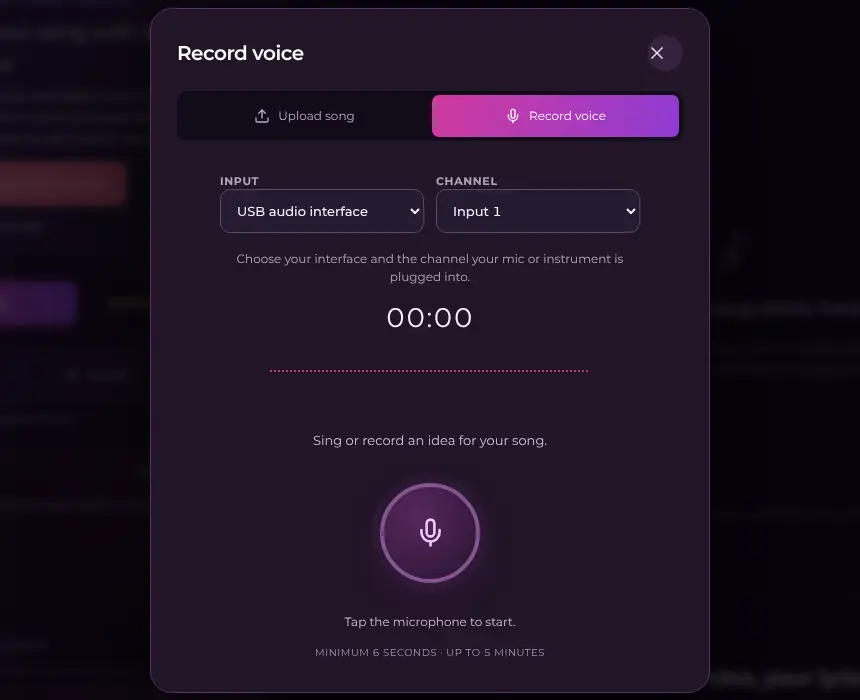
MixingMusic.AI voice recorder with the Input menu to choose a USB audio interface and the Channel menu to choose input 1
Pick your audio interface and the channel your microphone is on: it records without filters, as in Record and Live.
NEW · CREATE YOUR SONG WITH THE SUNO V6 ENGINE · BETA

Create a full song with AI and finish it right here.

Write the idea, paste your lyrics or record your voice. The Suno V6 model gives you two versions of the song with their key and tempo, and in the same account you split the stems, mix and master it.

  1. 1Describe or recordStyle, your own or AI-written lyrics, your voice or a hum.
  2. 2Record with your audio interfacePick your interface or USB microphone and the input channel: your voice arrives clean, with no call filters, as in Record mode. It works when creating the song and also in the custom song.
  3. 3Pick one of two versionsEvery song comes in two versions, each with its key and BPM.
  4. 4Stems, mix and masterSplit it into stems, open it in MixingStudio and master it for Spotify.
  5. 5Karaoke Video for YouTubeTurn your song into a 1080p video with lyrics synced word by word, neon waves and random colours, ready for YouTube and Shorts.
3 free songs up to 1:00. Suno V6 model via KIE.ai; MixingMusic.AI is not affiliated with Suno.
THE MIXER

A real mixer, with AI at your side.

Load up to 12 stems and control every track like in a studio. The AI proposes the mix; you decide every change and hear it instantly.

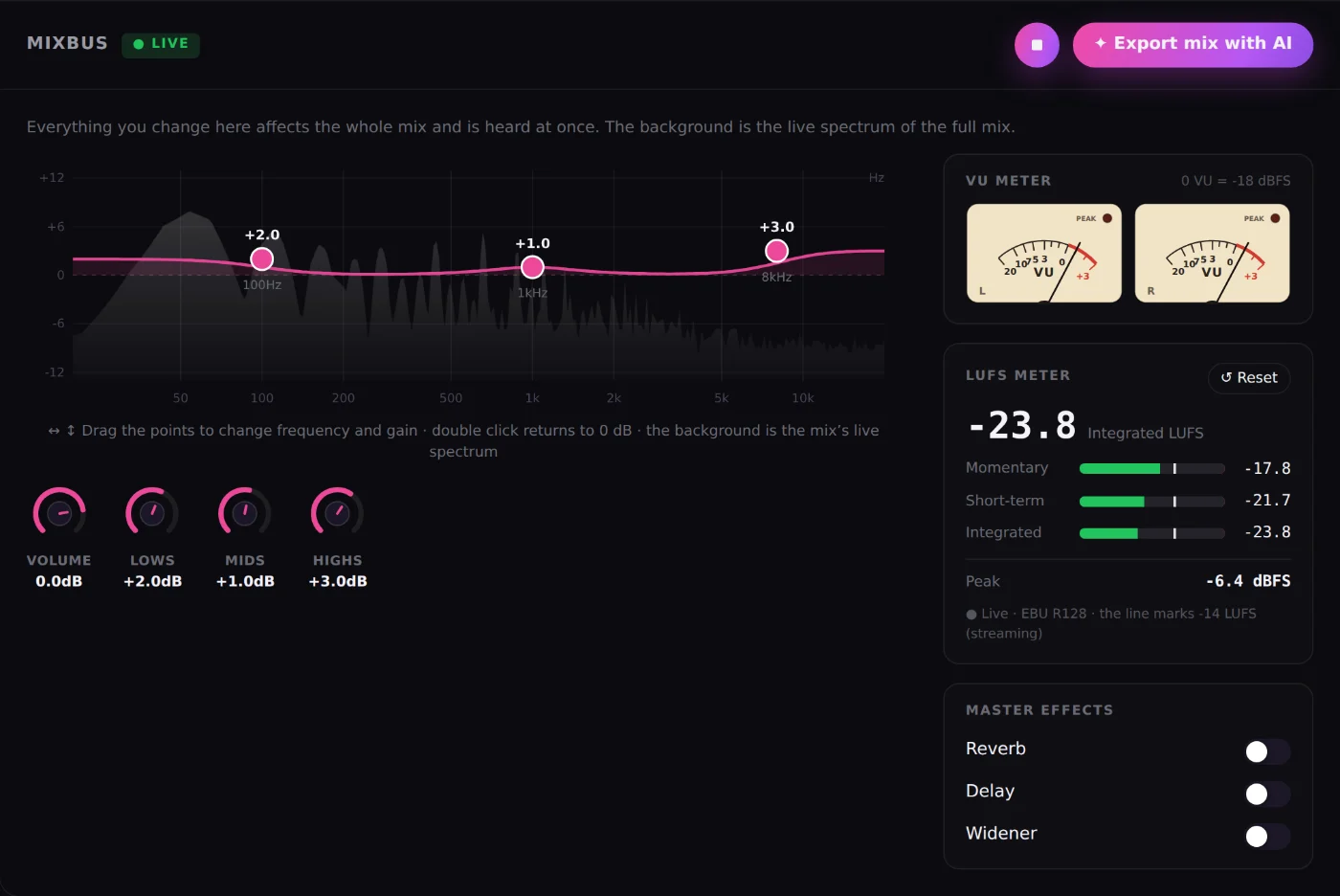
MixingMusic.AI MixBus: whole-mix EQ over its live spectrum, stereo VU meter and LUFS meter
The MixBus, always in view under your tracks.
  • MixBus always in view

    The whole-mix EQ over its live spectrum, overall volume and master effects, with no menus to dig through.

  • Real-time VU meter and LUFS

    L/R needles with classic VU ballistics and an EBU R128 meter: momentary, short-term, integrated and peak.

  • Reference trackUNLIMITED

    Bring your mix closer to the tone, dynamics and loudness of a song you love, before mastering.

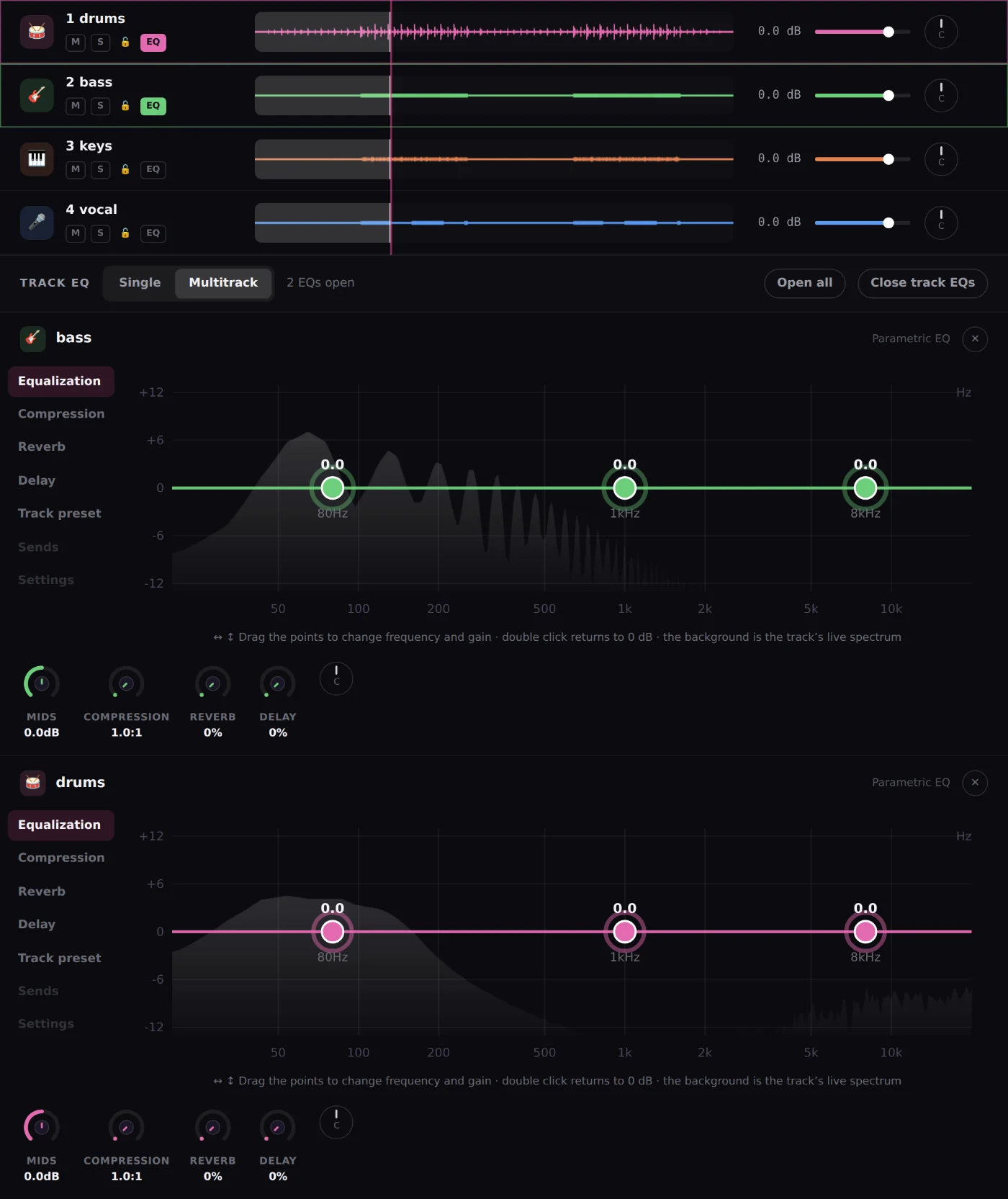
MixingMusic.AI mixer: vocal, guitar, bass, drum and keys tracks with waveforms and per-track EQ over the spectrum
Tracks with waveforms, EQ over the spectrum and plugins per instrument.
  • Per-track EQ, single or multitrack

    Drag the points over each instrument’s spectrum. Open one EQ or several at once and close them whenever you like.

  • Per-instrument presets

    Vocals, drums, bass, guitars and keys get EQ, compression, reverb and delay designed for each.

  • AudioChatUNLIMITED

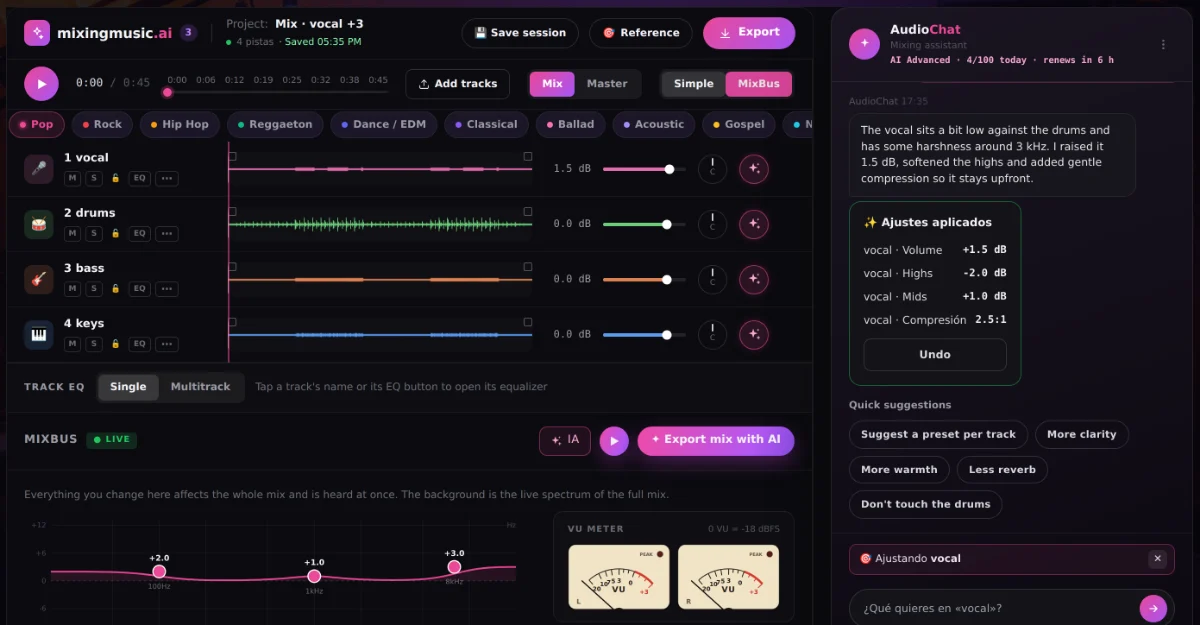
    Type "more clarity on the vocal" and the assistant adjusts level, EQ or effects. You hear it and you can undo it.

Create my mix for free
AUDIOCHAT AI

A mixing engineer that understands what you ask

AudioChat is the AI assistant inside the mixer and the mastering screen. It really measures your audio (levels, dynamics, frequency balance and stereo) and adjusts volume, pan, EQ, compression, reverb and delay on each track, or the whole MixBus. You listen, and every change can be undone in one click.

  1. 1Tap ✦ on a track or on the MixBusThe chat focuses only on what you picked, so the rest of the mix stays as it is.
  2. 2Choose how to work"Analyze and adjust automatically": the AI measures and applies the changes. "I'll tell you what to do": type, for example, "vocal more upfront and less harsh".
  3. 3Listen and decideYou see every change with its value. Apply, discard or undo. Tracks with a lock 🔒 are never touched.
Free
1 "Analyze and adjust" to try it
Unlimited
10 messages a day
AI Advanced
Up to 100 messages a day
See how AudioChat works →
MixingMusic.AI AudioChat AI focused on one track: the AI analyzed the vocal and applied EQ and compression changes that can be undone
MADE YOUR SONG WITH SUNO?

Mix, master and release your Suno songs.

Suno songs usually arrive already mixed, limited and sometimes as MP3. Upload your Suno Studio stems or the full song, mark it "AI-generated" and the recommendation adapts to what it measures: Spotify-ready without over-compression or stereo widening. Got several? Master them together as an album.

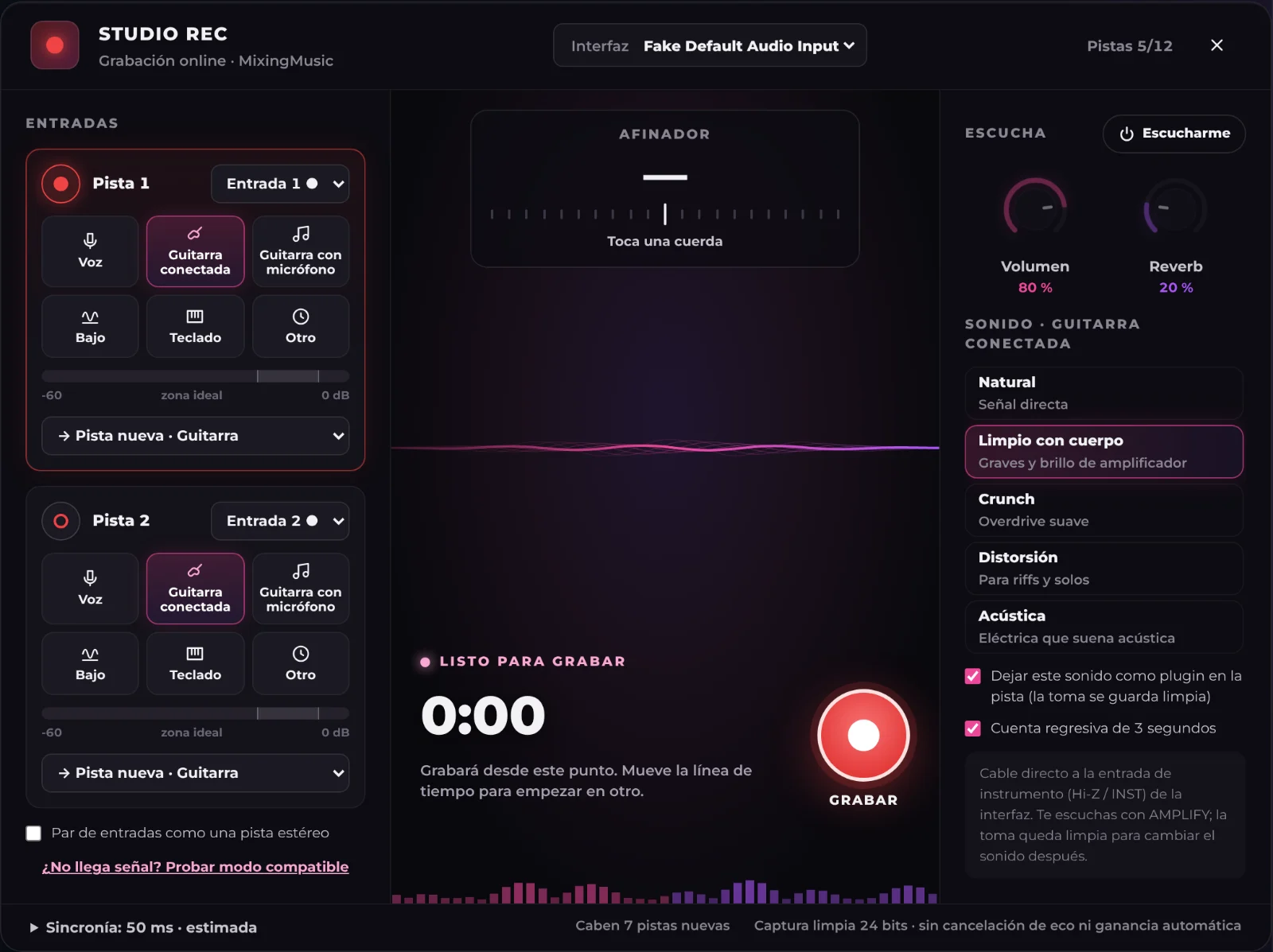
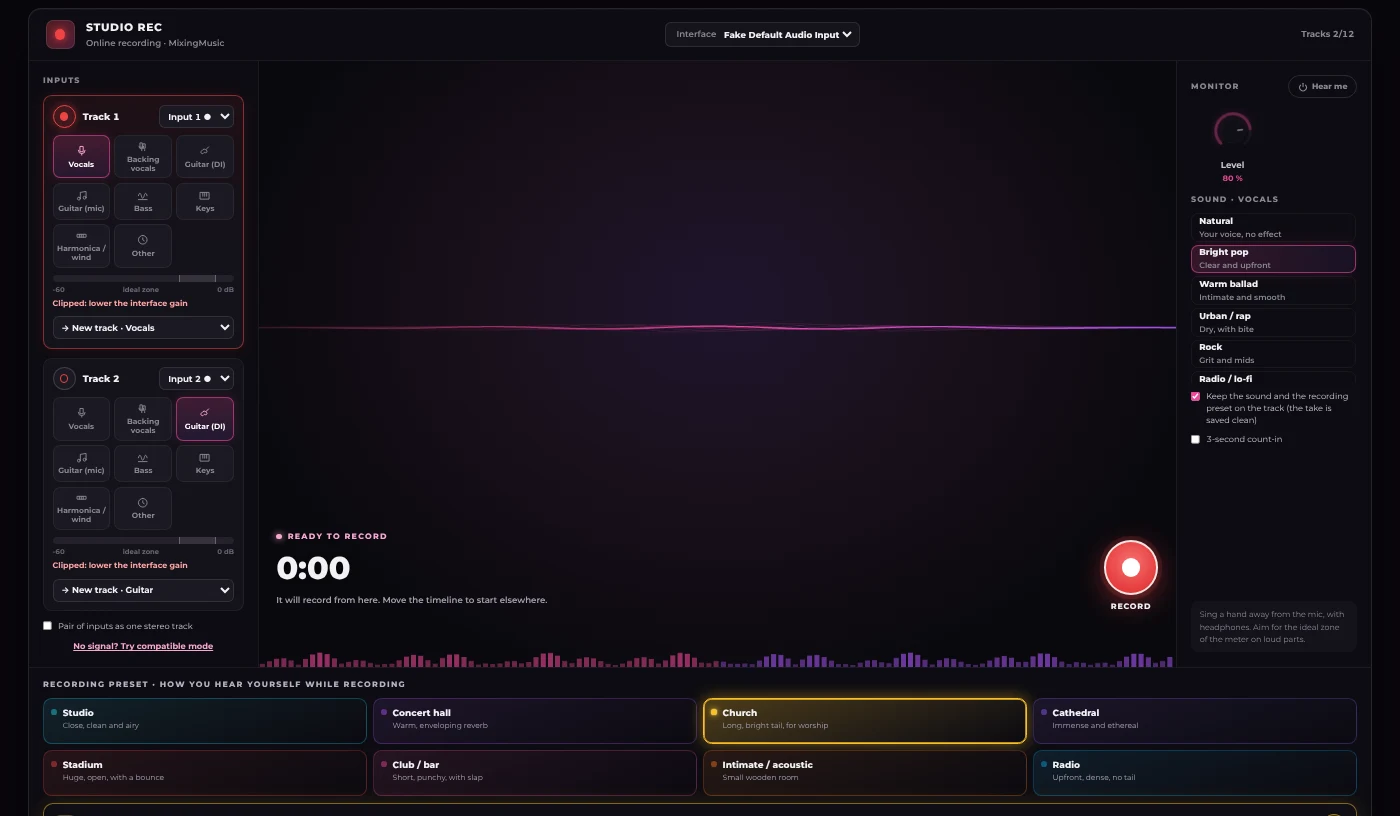
MixingMusic.AI STUDIO REC recording a guitar through a DI: a source per track, meters with an ideal zone, monitor sounds, the record button and the live take waveform
NEW · RECORD IN THE BROWSER

Record your vocals over the mix, without leaving MixingMusic.

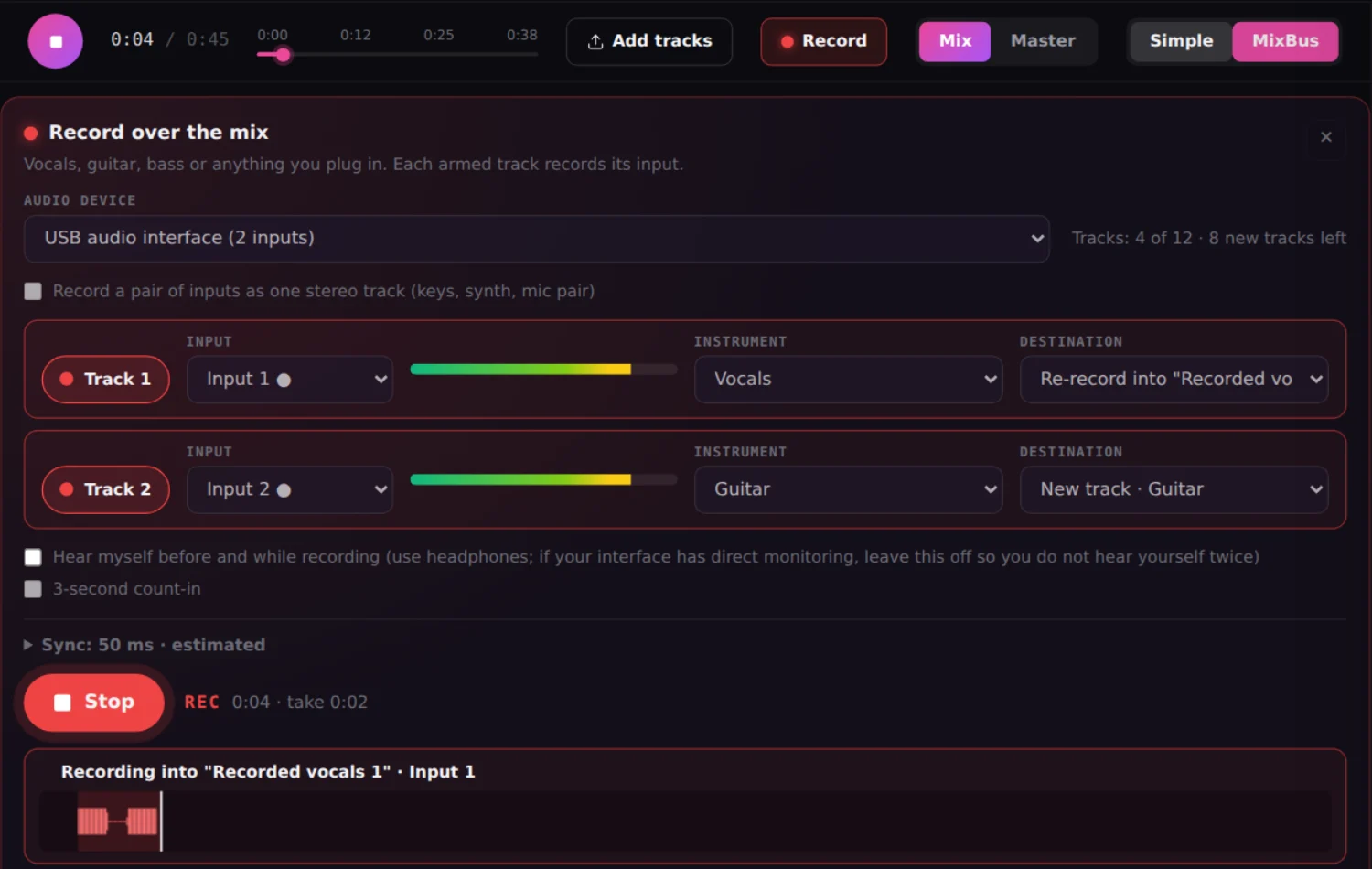
Plug in your audio interface or use the computer or phone microphone. You record while hearing the song and the take lands in time, ready to clean up, mix with AI and master.

  1. 1Two inputs at onceVocals and guitar on separate tracks, never more than 12 tracks.
  2. 2Re-record just a sectionRedo a line without using a track or cutting the rest of the take.
  3. 3Real noise cleanupRemoves fan, air conditioning or mic hiss on any track.
How to record vocals online →
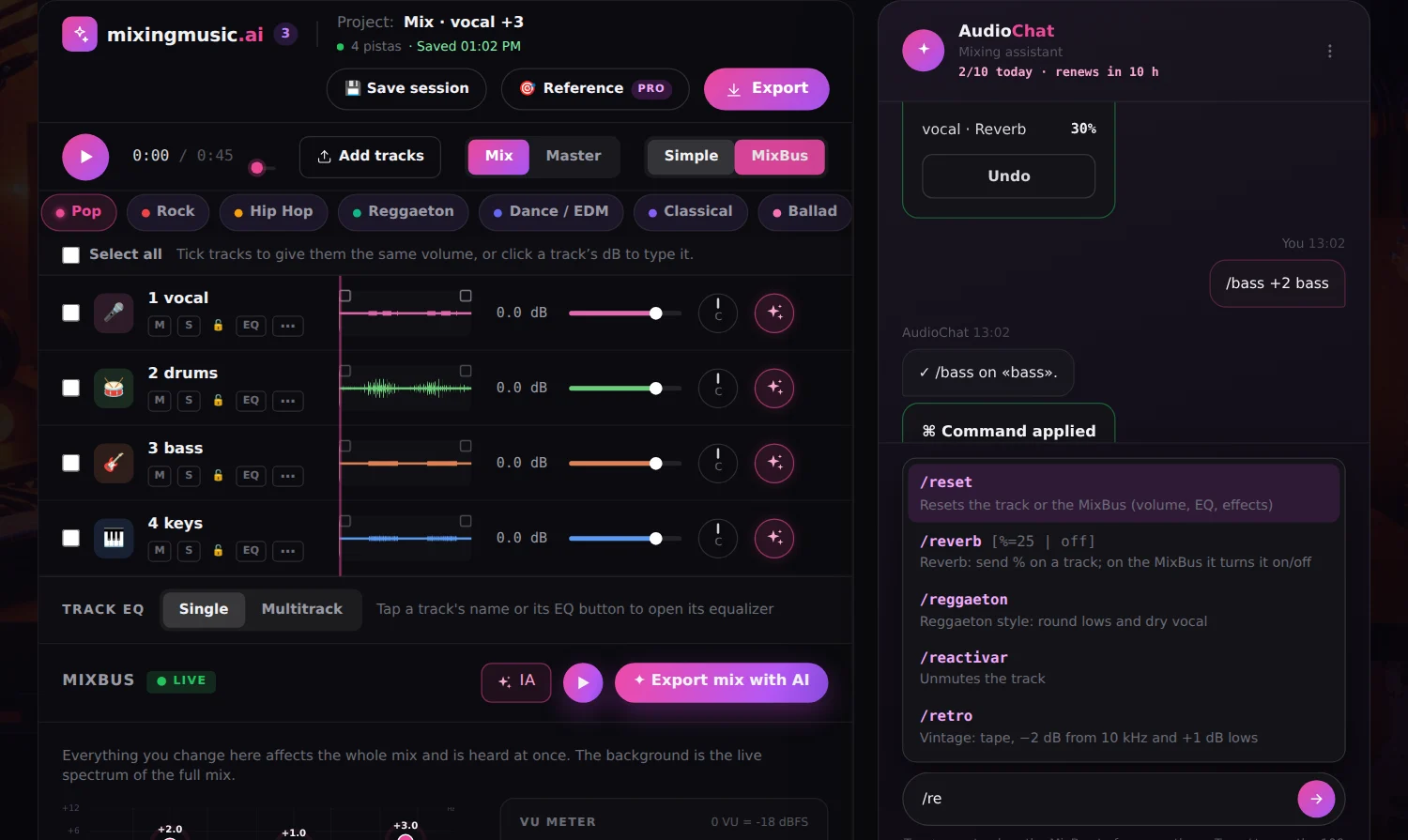
MixingMusic.AI AudioChat with the command list open after typing "/" and a /reverb command applied to the vocal with an undo option
100 COMMANDS · NO AI MESSAGES USED

Type / and the chat makes the change instantly.

Besides asking in your own words, AudioChat understands mixing and mastering commands in English and Spanish. Each one moves the real controls of the track or the MixBus, undoes in one click and uses no AI messages.

  • /reverb 30 vocals
  • /bass +2 bass
  • /vol -6 all
  • /pan L30 guitar
  • /deess vocals
  • /listen car mixbus
See all 100 commands →
COMPARISON

What your mix gains with MixingMusic.AI

Against eMastered, LANDR, Moises, Suno, Mozart AI and Waves, feature by feature. Data from their official pages.

Features of MixingMusic.AI, eMastered, LANDR, Moises, Suno, Mozart AI and Waves
FeatureMixingMusic.AICreate + mixing + masteringeMasteredAI masteringLANDRMastering and moreMoisesApp and AI StudioSunoGenerator + StudioMozart AIAI music appWavesOnline Mastering
Create full songs with AIFrom an idea, your lyrics or your recorded voice; songs up to 4:00, or 6:00 with AI Advanced.YesFrom an idea, your lyrics or your voiceNot in their public informationPartlyLANDR Layers generates partsPartlyGenerates backing partsYesFull songsYesFull songsNot in their public information
Export the song as stems6 WAV stems on every plan, or up to 12 with Suno on AI Advanced (backing vocals, strings, brass, synth…), ready for the mixer.Yes6 WAV stems, or up to 12 with AI AdvancedYesYesYesYesYesExports stems (paid plans)YesMix Unlock plugin in your DAW
Online mixing of your stems with per-track controlsUp to 12 tracks: volume, pan, EQ, compression, reverb and delay on each.YesUp to 12 stemsNot in their public informationNot in their public informationPartlyAI Studio: presence, pan and reverb per trackYesSuno Studio 2.0 (Premier plan): volume, EQ, effects, compression, automation, MIDI and synthesizersPartlyWorkstation with tracks and MIDI in its app (per reviews)Not in their public informationIts plugins run inside a DAW
Record vocals or instruments over the mix, in the browserInterface, computer or phone microphone; two inputs at once on separate tracks, re-record a section and compensated sync.YesUp to 2 inputs at once, each on its own trackNot in their public informationNot in their public informationPartlyMobile app: video of you playing along and voice memosYesSuno Studio (Premier plan)Not in their public informationNot in their public informationRecording happens inside a DAW
Per-track and whole-mix (MixBus) EQ with a live spectrumDraggable points; several EQs open at once in Multitrack mode.YesNot in their public informationNot in their public informationNot in their public informationPartly6-band EQ in StudioNot in their public informationNot in their public information
LUFS (EBU R128) meter and stereo VU meter while you mixMomentary, short-term, integrated, peak and L/R needles in real time.YesNot in their public informationNot in their public informationNot in their public informationNot in their public informationNot in their public informationNot in their public information
Chat assistant that applies changes to your mixAudioChat: tap ✦ on a track or on the MixBus and ask, for example, "clearer vocal". It adjusts volume, pan, EQ, compression, reverb or delay; hear it and undo it.YesFree: 1 try · Unlimited: 10/day · AI Advanced: up to 100/dayNot in their public informationNot in their public informationNot in their public informationPartlySuno Studio 2.0: chat to modify projects, generate effects and work with instrumentsNot in their public informationNot in their public information
AI that analyzes a track and adjusts it on its own"Analyze and adjust": measures level, dynamics, band balance and stereo of the track or the MixBus, and applies moderate changes you can undo.YesPer track and on the MixBusNot in their public informationNot in their public informationNot in their public informationNot in their public informationNot in their public informationNot in their public information
Reference track applied from the mixTone, dynamics and loudness of a song you like, before mastering.YesUnlimited planNot in their public informationNot in their public informationNot in their public informationNot in their public informationNot in their public informationNot in their public information
Coherent album masteringYesUp to 12 songs · UnlimitedNot in their public informationYesNot in their public informationNot in their public informationNot in their public informationNot in their public information
Unlimited use for one payment, no subscriptionYesUnlimited or AI Advanced: one paymentNot in their public informationSubscriptionNot in their public informationSubscription or pay per masterNot in their public informationSubscriptionNot in their public informationSubscriptionNot in their public informationMonthly or yearly subscriptionNot in their public informationCredits per song

✓ Available◐ Partly or with conditions— Not in their public information as of October 30, 2026

See the full comparison with sources →
FREQUENTLY ASKED QUESTIONS

Before you upload your music.

What is the difference between mixing and mastering?

Mixing combines your separate stems and sets the balance of the song. Mastering works on a finished stereo mix to improve tone, dynamics, width and final loudness.

Is MixingMusic free? How much does it cost?

You can start free: 1 mix, 1 MP3 master and 1 AudioChat AI trial, no card needed. For more, Unlimited is US$7.99 and AI Advanced is US$15, both one-time payments: no subscription or monthly renewal.

How do I mix songs with AI for free?

Upload your stems (up to 12 tracks), pick a genre preset or tell AudioChat what you want, listen to the result and export. Free and with no card you get 1 mix, 1 MP3 master and 1 AudioChat AI trial. With Unlimited (US$7.99, one-time) mixes and masters are unlimited and the WAV is 24-bit.

Can I combine two songs with AI?

You can upload up to 12 audio files, full songs included, and combine them into one mix: you set volume, pan and EQ for each one and the AI proposes the balance. MixingMusic is a track mixer: it does not create automatic mashups or match tempo or key between songs.

Can I mix vocals with a backing track using AI?

Yes. Upload the vocal and the backing track as separate tracks, or record the vocal inside the mixer, and the AI applies a vocal-minded preset with EQ, compression, reverb and delay per track. You can ask for changes in the chat, like "clearer vocal", and undo them.

What does the free plan include?

You can create 1 mix from stems, master 1 song with an MP3 download and try AudioChat AI with 1 "Analyze and adjust". No card required.

What is AudioChat AI and how does it work?

It is the AI assistant inside the mixer and the mastering screen. Tap ✦ on a track or on the MixBus and choose: "Analyze and adjust automatically" (the AI measures the audio and applies the changes) or "I'll tell you what to do" (you type what you want). It adjusts volume, pan, EQ, compression, reverb and delay, and you can undo every change.

How many AudioChat messages do I get?

Free: 1 "Analyze and adjust". Unlimited (US$7.99, one-time): 10 messages a day. AI Advanced (US$15, was US$79, one-time): up to 100 a day. They renew every midnight in your local time.

Can I master a song made with Suno?

Yes. Upload it to mastering and mark it as AI-generated: the recommendation adapts to audio that is already mixed and limited, without over-compressing it or widening its stereo image.

Is the Unlimited WAV really 24-bit?

Yes. With Unlimited the export is encoded as true 24-bit PCM WAV, not a renamed 16-bit file.

What does album mode do?

It processes up to 12 mixes as a set to keep perceived loudness, tonal balance and dynamic range coherent, while keeping individual adjustments per song.

Does MixingMusic replace my decisions?

No. AI proposes a technical and musical starting point based on our presets; you compare, adjust and choose the final result.

FREE · NO SIGN-UP

Free audio tools with AI

Build your Suno prompt, convert your audio, measure its LUFS, make a karaoke video of your song, record with effects and play live, in your browser.

See all free tools →
NEW · FREE TOOL

Suno prompt: the perfect prompt for your song, step by step

Pick genre, mood, voice, key and chords, and copy a Suno-ready prompt. Does Suno push your voice too high or does your song sound small? The “Improve my song” mode fixes it.

  • 40+ genres
  • Real key and chords
  • Keeps your voice in range
  • No sign-up
SUNO PROMPT94
NEW SERVICES

Record your song and take it on stage. Included in Unlimited and AI Advanced.

Two new services inside MixingStudio: a multitrack recording session and a console for playing live. Same plugins, same room presets, one payment.

MixingMusic Record screen with recording presets
RECORD

Online multitrack recording

Record vocals and an instrument at once and keep adding backing vocals, guitars, bass or harmonica, hearing what is already recorded. Hear yourself in a studio, a church or a stadium while you record, and the preset stays on the track.

  • Up to 12 tracks, 2 at once
  • 8 room presets: studio, church, stadium…
  • MP3, WAV and separate stems download
  • Free: 2 tracks and MP3; unlimited on Unlimited and AI Advanced
MixingMusic STUDIO LIVE with vocal and guitar channels, show preset and Transmit button
LIVE

Live sound console

For musicians singing in churches, bars and clubs: the same sound and presets as Record mode, but transmitted. Each channel picks its sound, reverb, delay and cleanup, and Transmit sends the mix through your interface to the PA.

  • Up to 4 channels with VOX, AMPLIFY, LOWEND and KEYS sounds
  • Venue preset: church, club, stadium…
  • Transmit to the PA, anti feedback and reusable setups
  • Channel-by-channel show recording (Unlimited and AI Advanced)

See plans →