

AI BACKING VOCALS · A NEW TRACK IN YOUR MIX
AI backing vocals for your song: harmonies that follow your key and tempo
Ask “add backing vocals” in the mixer chat. The AI listens to your song and writes a choir with vocal harmonies (“ooh”, “aah”) that follows its key and tempo, as a separate track you mix to taste.
Try it in the mixer →It counts as one instrument: it uses 1 song from your balance. Unlimited allows 20 instruments a month and AI Advanced 60.
- Wordless harmonies
- A separate, mixable track
- Shows as a track while it is generated
- No subscription
Backing vocals for your song in three steps
Open your song in the mixer
Upload your tracks or open a song made here. The AI needs to hear the song to know in which key and at what pace to sing.
Type “add backing vocals” in the chat
You can add a style: “soft backing vocals”, “wide chorus choir”. The choir is generated as soon as you ask.
Mix the choir
The choir arrives as a new track (“Backing vocals AI”). You raise or lower it, send it to reverb, put the VOX vocal plugin on it or mute it in the verses.
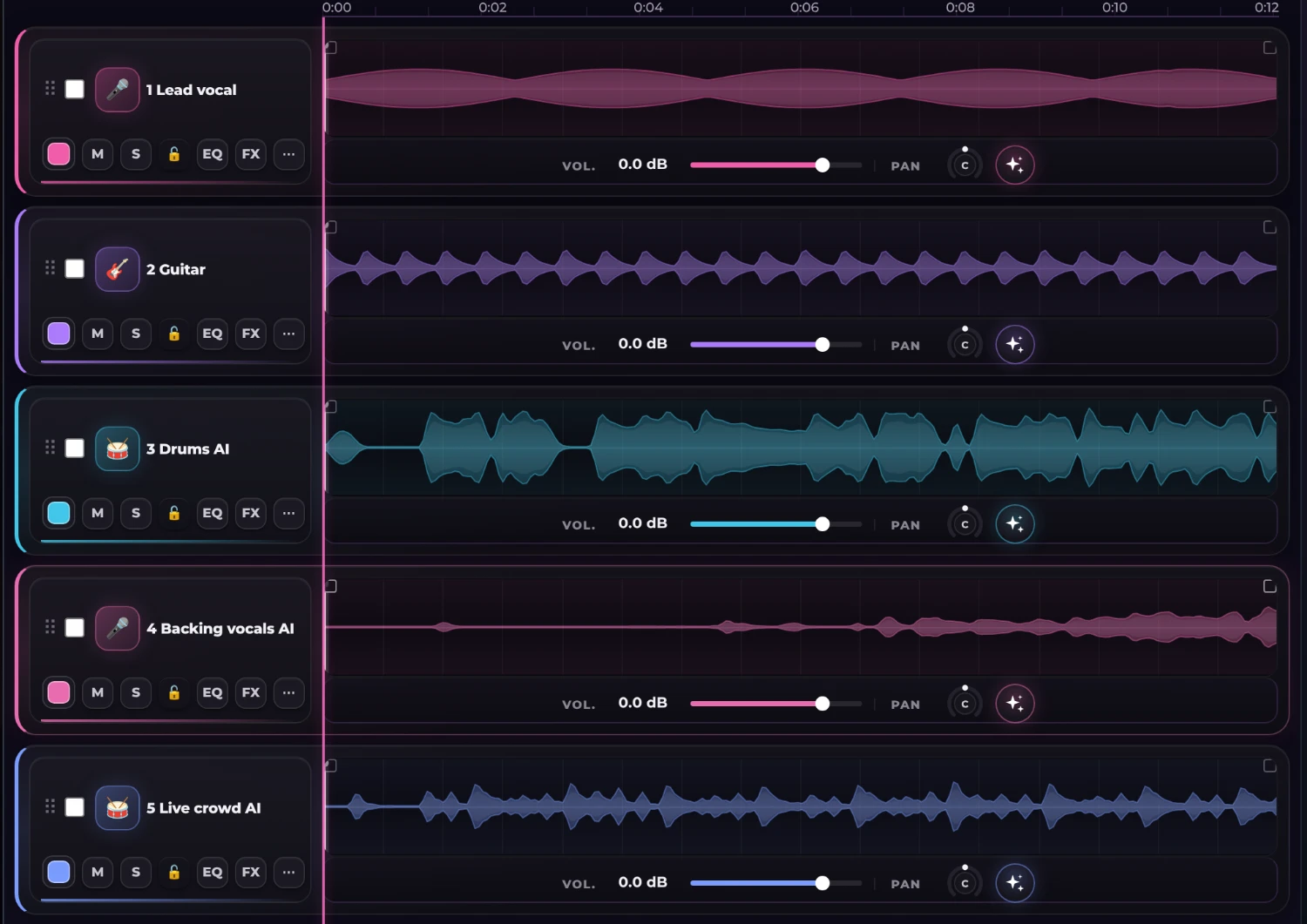
The choir, next to your vocal
Here the choir (fourth track) comes in towards the chorus, with its own waveform, and blends with the lead vocal without stepping on it.
- Wordless “ooh” and “aah” harmonies
- Follows your mix’s key and tempo
- A separate track: volume, EQ, reverb and plugin
What the choir does and what it does not
The choir sings wordless vocal harmonies (“ooh”, “aah”) that accompany the lead vocal. It is ideal to thicken a chorus, open a bridge or fill out a ballad. It does not write a second voice with lyrics or clone voices.
The AI decides in which sections it sings: in our tests the choir came in mostly on the choruses and stayed silent elsewhere. If you want it in more parts, ask in the chat (“choir throughout the song”) or duplicate and shift the track in the mixer.
Combine it with the vocal plugins
The VOX plugin has two settings made for backing vocals: “stereo double” and “wide choir”. Applied to the “Backing vocals AI” track they add width and air without fighting the lead vocal.
Give your song a choir
Open the mixer, ask for the backing vocals in the chat and hear your chorus grow.
Try it in the mixer →Frequently asked questions
Do the backing vocals sing lyrics?
No: they sing wordless harmonies (“ooh”, “aah”). They thicken the chorus, they are not a second voice with text.
How much does it cost?
It counts as one instrument. Each instrument uses 1 song from your balance. The free plan includes 3 trial instruments; Unlimited allows 20 a month and AI Advanced 60. If an instrument fails, it is not counted.
Can I choose where the choir sings?
The AI decides where it comes in and, in our tests, it sang mostly on the choruses. You can ask the chat for another take with other directions and adjust the track in the mixer.
Does it follow my song’s key?
The AI listens to your mix and writes the harmonies following its key and tempo. It is an AI generation: it is worth listening to it with the mix and asking for another take if it does not fit.
Can I use it with a song I did not make here?
Yes. Upload your tracks to the mixer (2 to 12 stems) and ask for the backing vocals in the chat.