
Your interface or your mic
Pick the input: audio interface, computer or phone microphone. We record without the echo cancellation and noise suppression of voice calls, which damage a sung vocal.
Record vocals, guitar, bass or anything you plug in while you hear your song. Use your audio interface or the computer or phone microphone: the take lands in time, on its own track, ready to clean up, mix with AI and master without leaving MixingMusic.AI.
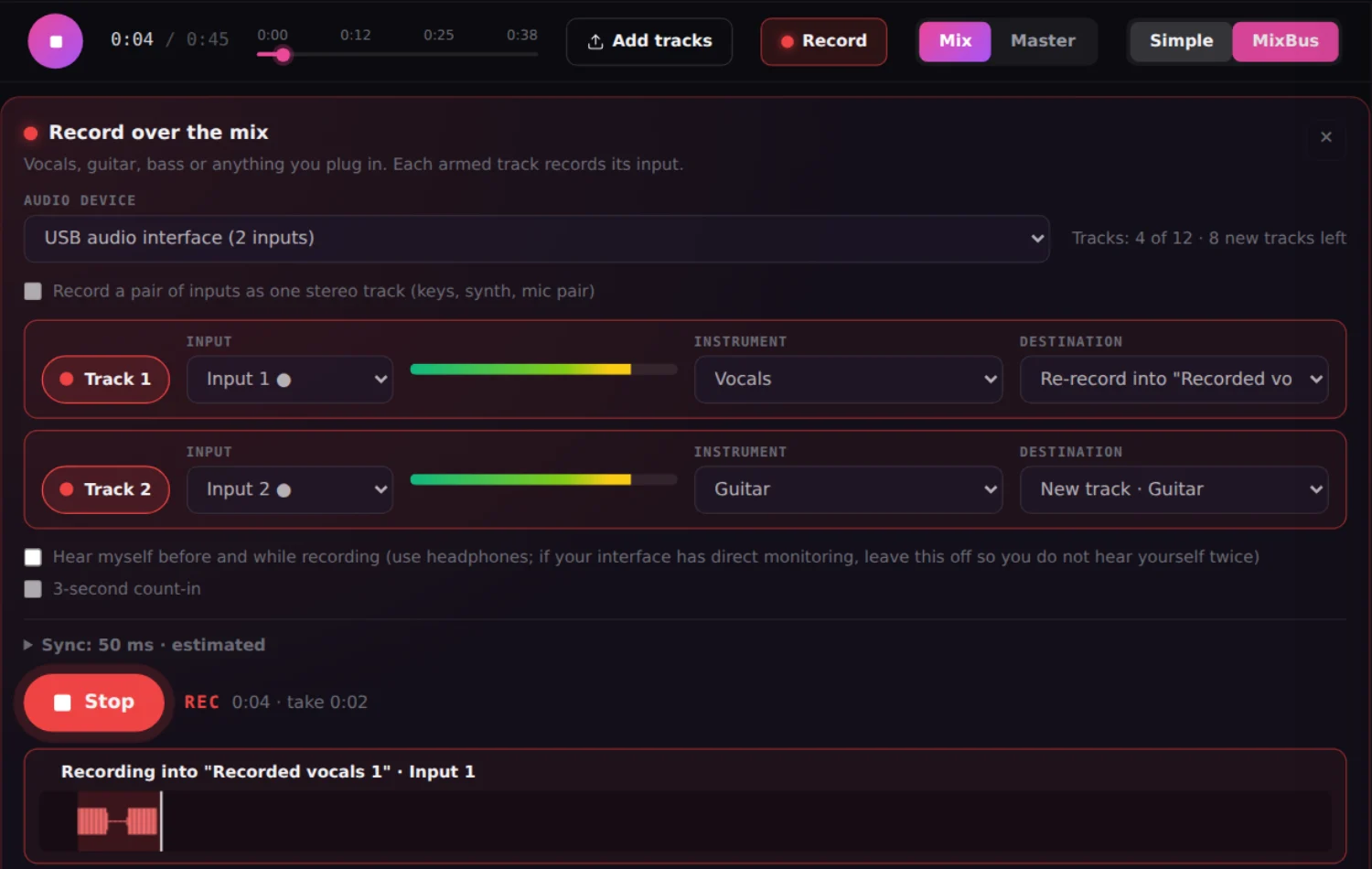
Pick the input: audio interface, computer or phone microphone. We record without the echo cancellation and noise suppression of voice calls, which damage a sung vocal.
Vocals on input 1 and guitar on input 2, each on its own track, or both as one stereo track for keys or synth. The track counter never lets you go over 12.
Pick a track you already recorded as the destination and redo just that line: the rest of the take stays intact and the joins are seamless.
The take lines up with the mix by compensating your setup’s delay. Automatic calibration with four clicks or fine-tuning in milliseconds.
It learns the noise from the track’s pauses and removes it: fan, air conditioning, mic hiss. Optional noise gate, original file untouched.
EQ, compression, reverb, delay, vocal presets, AudioChat and commands. Then export the mix and master it with AI for Spotify.
Yes. Load your song stems or your beat into the MixingMusic.AI mixer, tap Record and sing while hearing the mix. The take becomes one more track, lined up with the song.
An up-to-date browser (Chrome, Edge, Firefox or Safari), headphones and your audio interface or the computer or phone microphone. On a phone use wired headphones: Bluetooth adds too much delay for recording.
Yes. With a 2-input interface you record both at once, each on its own track (for example, vocals on input 1 and guitar on input 2), or both as one stereo track. A mix never goes over 12 tracks. With 4- or 8-input interfaces, the browser usually delivers the first 2.
In the track’s ⋯ menu choose Clean up noise. It learns the noise from the track’s own pauses (fan, air conditioning, mic hiss) and removes it at the amount you choose, with an optional noise gate. The original file is untouched, and it works on uploaded tracks too.
Yes. Recording uses the same audio clock as the mix and compensates your setup’s delay. You can calibrate it automatically with four clicks through the speakers or fine-tune it by hand in milliseconds.
Not directly: no browser can load installed VST or AU plugins. If your interface processes with its own plugins, the vocal arrives already processed. Inside MixingMusic.AI you get EQ, compression, reverb, delay, vocal presets, noise cleanup and AudioChat on every track.
Recording is part of the mixer: try it free in your first mix, and with Unlimited or AI Advanced, both one-time payments, you record in unlimited mixes.
Load your song, tap Record and sing.
No monthly renewal, confusing credits, or annual contracts. Free to try it, Unlimited for the whole studio and AI Advanced to work with the AI every day.
No card and no expiration.
One payment with Mercado Pago or PayPal.
One payment. Already on Unlimited? Pay only the difference.